
Last week, BAM Creator Krys Benyamein over-delivered on his promise to reveal how to get 10 different pieces of content from one listing. In fact, he nearly doubled that number.
Frankly, we’re not shocked. Over-delivering is kind of his thing. And if you missed the live webinar, the replay is now available on the BAMx platform.
We’ll cover the highlights in this post. But if you’ve never seen one of Krys’s dynamic and value-packed presentations, this is a great one to start with.
Let’s dive into it.
Why is this so important?
Before diving into content, Krys laid down the context every real estate agent needs to know when planning a marketing campaign for their seller’s listing. Because this is not a one-and-done video release. Brands create campaigns—not one-offs.
Similar to a movie, the “trailer” doesn’t go out until the entire campaign is ready to roll.
Here are some other reasons why it makes sense to create 10+ pieces of content for each of your listings:
- Lots of content makes it look like you have tons of listings.
- Sellers love to see all that you’re doing to market their homes.
- More content means more opportunities to collect data.
- The market has changed—more is more when it comes to content.
- Agents who overdeliver are the ones who will ride out the commission lawsuit storm.
Basic content how-tos
Three things to keep in mind when you’re creating marketing content for your seller clients:
- Plan ahead—You should have a marketing plan in place to present to every potential client. Know how you’re going to get as many eyes as possible on their property and what you’re going to do to ensure they get the best possible price for it.
- Batch record your video content—Krys doesn’t make multiple trips to record content for his client’s listing. He gets it done all in one afternoon and repurposes that footage for all the content he creates. This is why planning ahead is so important.
- Get all the media at the beginning—Krys will then take all his b-roll from batch recording and put together the pieces of content he’ll want to put out when it’s time. Since he doesn’t know how quickly a home will sell, he makes sure he’s got his “Just Closed” content ready to go.
Did he really describe 19 pieces of content—from one listing?
The short answer is yes. Yes, he did. Let’s take a look:
#1—The Pre-Listing Story Post
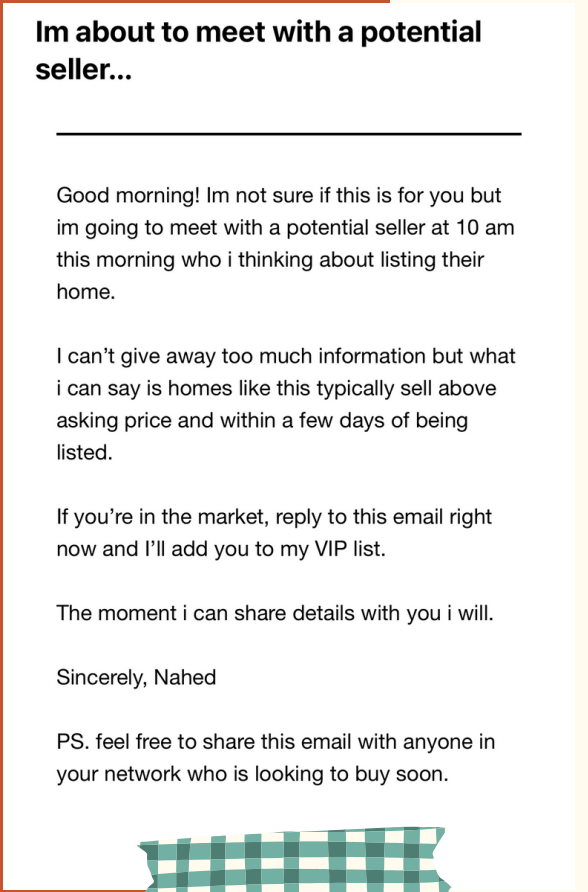
This is a pre-listing piece of content. Krys credits Jimmy Mackin for the idea, but what he’s talking about here is a Story post you create promoting the listing before you even have it.
He’s done this for three listings, so far, and it’s something no other agent had done for the seller. And the look they give him—”Wow, you’re already helping us sell this house?”—gives him butterflies every time.
Your Story post can also start as an email you send out to your database: “I’m about to meet with a potential seller… If you’re in the market, respond to this email right now, and I’ll add you to my VIP list.”
#2—The Just Listed Carousel post
This is just what it sounds like. You use an MLS photo or another photo you’ve taken for that listing and add your branding to it—which you can’t do for images posted on the MLS.
To make the dimensions of your photos Instagram-friendly, use a free app called Instasize.
This can also be a green-screen post. And if you’re not sure how to make one of those, BAMx has a course that walks you through it: “Create the Perfect Green Screen.”
#3—Unbranded Horizontal Listing Photos
This video will live on the MLS and will not have any of your personal information or branding. Krys describes it as the “bloodline” of all the rest of the content he’s creating, which uses b-roll footage of the house.
Krys shoots the entire house in detail for this video. He then repurposes that same footage for the rest of his content.
The reason this video is horizontal is because Krys posts it on YouTube as an unlisted video with copyright-free background music—and without any personal information.
#4—Branded horizontal listing video
For this one, Krys takes the unbranded horizontal video and adds an intro, a middle section, and an outro. The intro needs to start with a strong hook. Then the b-roll starts. In the middle section, he’ll highlight some of the best features of the home. After more b-roll comes the outro.
Because this is going to be a YouTube video, the call to action is YouTube-specific:
- “Head to the description for more information.”
- “Click the link in the description to schedule an appointment.”
- “Subscribe and follow for more content like this.”
#5—Vertical Branded video
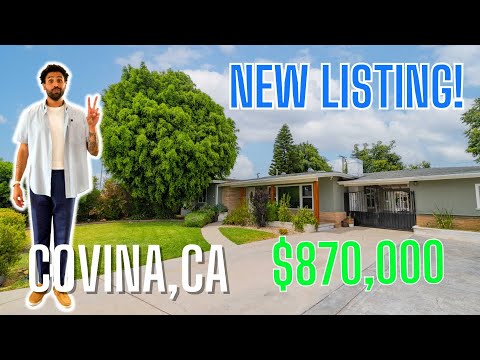
The vertical branded video is for Instagram. It starts with Krys’s b-roll intro, then leads into a triple stack of his horizontal b-roll footage. As Krys says, “We’re repackaging the sausage—not making new sausage.”
Shoot it in 4K, so you can punch in. You always want to make sure you’re in the middle of the video because the edges will get cut off with the resizing.
#6—Story Posts
For every one of your listings, have one, two or three Story posts ready to go when you need them to. One of Krys’s examples is a triple stack of horizontal photos, which he made on Canva.
Another features a horizontal screen-recording of him clicking through his MLS photos. He adds a link that says, “Get the details” and a sticker of himself pointing at the video. The third example is a green screen video with him scrolling through images of the listing.

#7—Local Business Spotlight
There’s more than one way to do this. Krys showed two examples, the first being the kind of local business spotlight he used to create—where he shows the restaurant, talks about the food, and then plugs his listing at the end of it.
The second example is more versatile and doesn’t require you to be in the video. This is the type of video he creates now. The focus is on the restaurant, the menu, and the food rather than on you presenting both. These are performing better and they’re easier to make.
Just this week, Krys shared this new approach in a BAM article.
#8—Creative Short Form
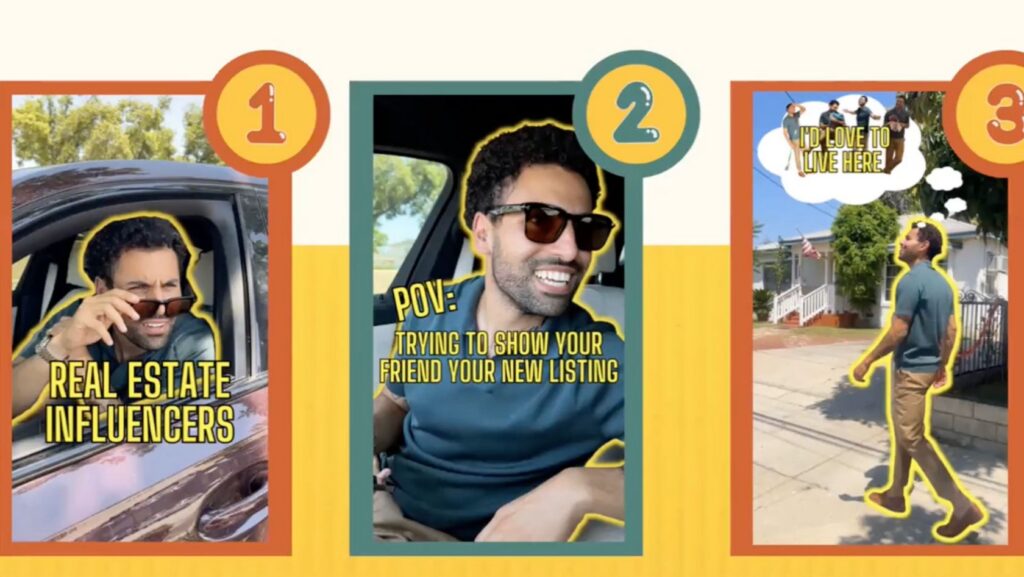
Krys often takes inspiration from other creators and then adds his own twist to it. And this is probably his favorite type of content to create.
He recommends scrolling through Instagram and saving posts that inspire you. DM it to yourself. Click the bookmark icon. Start creating a catalog of content that inspires you.
A lot of his creative Reels were inspired by Instagram posts that had nothing to do with real estate. But Krys uses the videos he creates to promote listings. Here’s one example:
#9—The Just Closed Compilation
This is essentially a mash-up of some of the best video content created for a listing. The example Krys showed during the webinar featured several people and showed triple stacks of b-roll footage, with mood-appropriate audio playing in the background.
Here’s another example:
The caption provides a case study detailing everything he did to promote the listing, complete with the listing address at the bottom.
#10—Single Property Website
The single property website is another piece of content that shows the seller how much time and creative energy you’re investing in the promotion of their home. It features a photo gallery (of course) to give viewers a good look at the exterior and interior of the property.
And, of course, your website can also include your branded horizontal listing video, as well as a QR code visitors can scan to get more information and schedule a showing.
This doesn’t have to be expensive, either. Krys creates these websites through his CRM (he uses Sierra Interactive).
#11—Database Email(s)
Krys emails his database every time he gets a listing or at least once or twice a week. For his thumbnails, he uses quick, catchy titles using language the average person will have no trouble understanding (in other words, no real estate jargon).
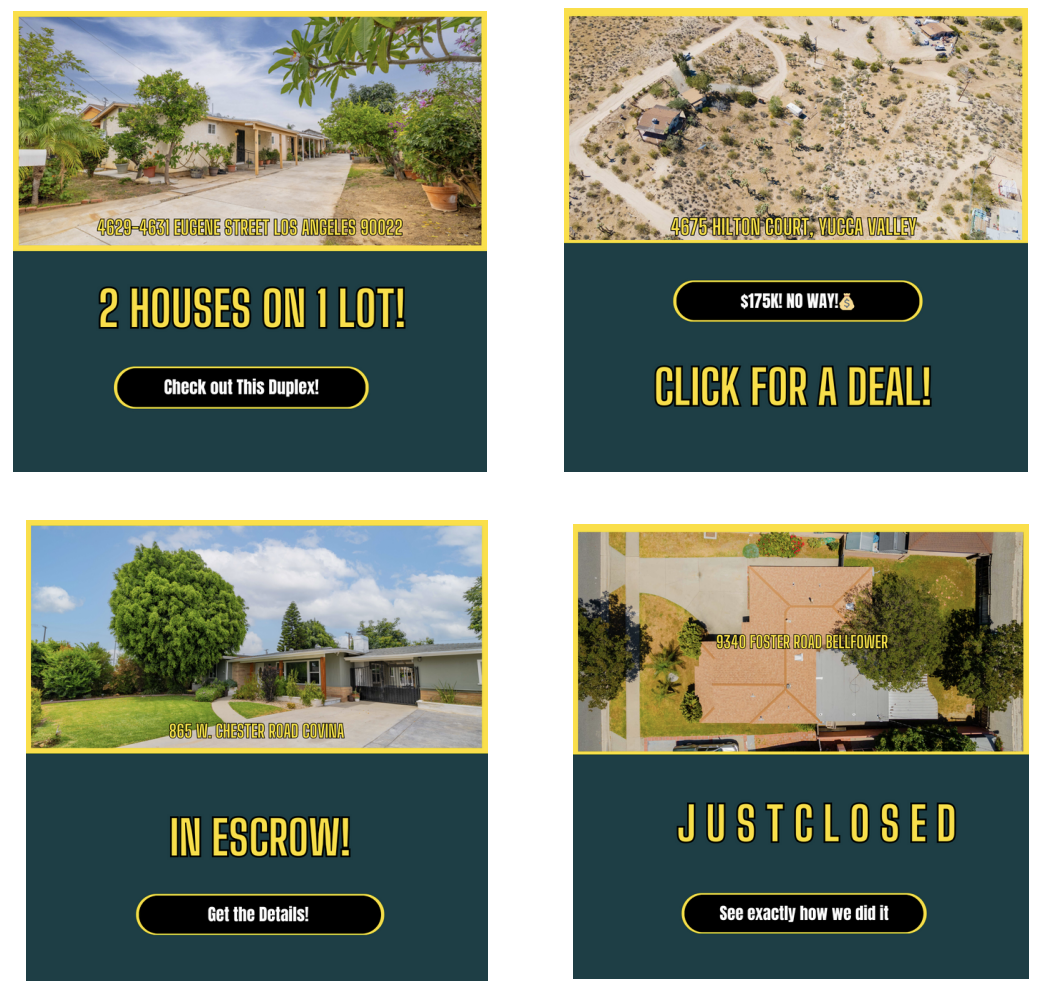
If you’re using Mailchimp or Chime (among others), you can see who opens your emails and how frequently. So, if you’re sending an email to your database on a Saturday morning, one of the first things you should be doing on Monday (if not Sunday) is going into your email client and checking to see who opened your email. And if anyone opened it more than four times, make it a priority to call them. Because the purpose of these emails is to create conversations.
#12—Google My Products
Get a Google My Business page (if you don’t already have one) and put in your listings as “products” – with a listing photo and a link to the website, That way, when people visit your Google My Business page, they can scroll down to products, click “View All,” and see all your current listings.

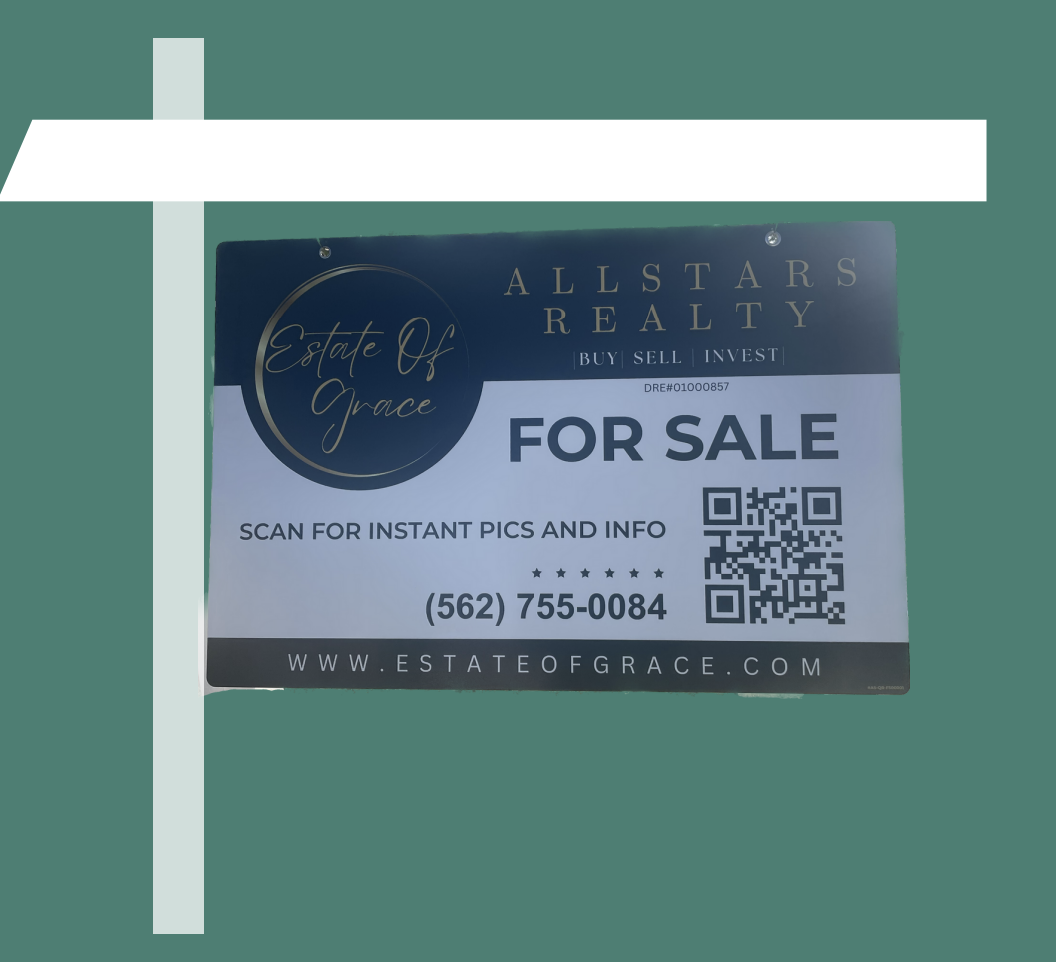
#13—QR Code For Sale Sign
Krys puts a QR code on the front and back of these signs. When people scan it, it takes them to a site where they need to login with either Google or Facebook, so he can track who’s visiting and how many times they log into the site.
#14—360 House Tour
Krys makes these for each of his seller clients. Every time they go to a listing to record b-roll for marketing content, he films a 360 degree tour of each room. He adds a voiceover afterward to guide the viewer through the property and highlight important details.
#15—BTS Compilation
These are essentially behind-the-scenes vlogs of everything Krys and his team did that day while shooting video and capturing images of a listing. As he puts it, “This is me pushing the listing without pushing the listing.”
For all his video content, Krys recommends the Insta360 One RS, which he describes as one of the best tools outside of an iPhone.
#16—Mailers
Krys is doing 1,500 total pieces of mail for every house:
- 500 “Just Listed”
- 500 “In Escrow”
- 500 “Just Sold”
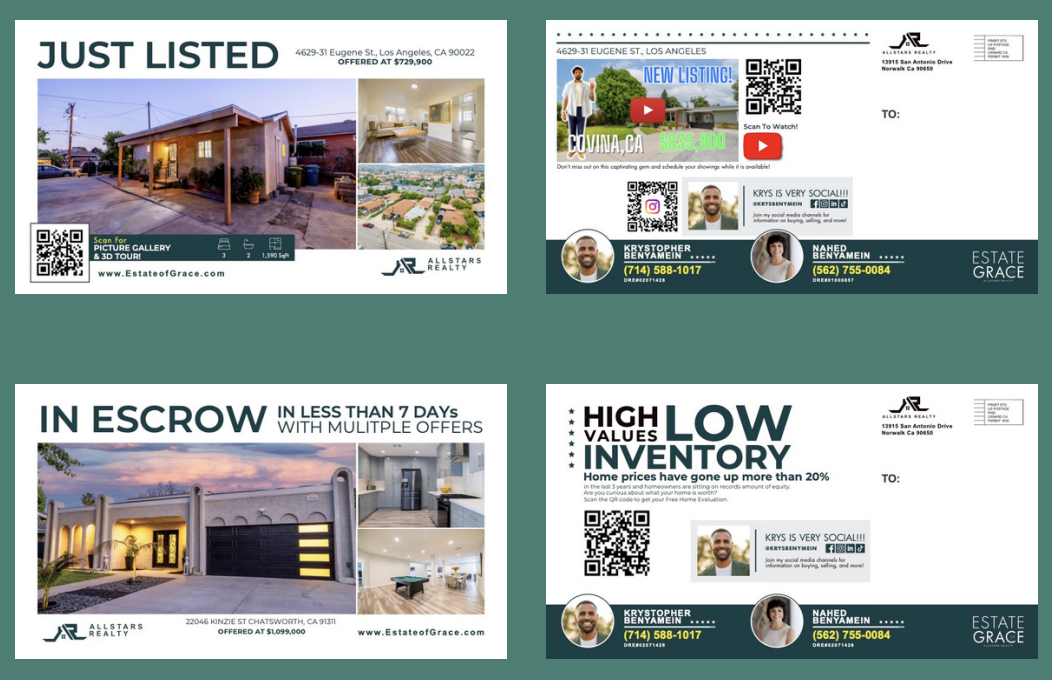
Typically these mailers have QR codes, similar to the ones Tom Storey is sending out to his database.
#17—Linktree
Krys also uses his Linktree to promote his listings, along with his newsletter with weekly agent tips, a link to subscribe to his YouTube channel, a “Meet with Krys” link, and a home search link.

#18—Matterport Tour
Matterport is the software for creating 3D tours. Krys has a subscription that costs $25 a month to create 3D tours for 10 listings. He uses these to create both Story content and wall content.
#19—Open House Flyer
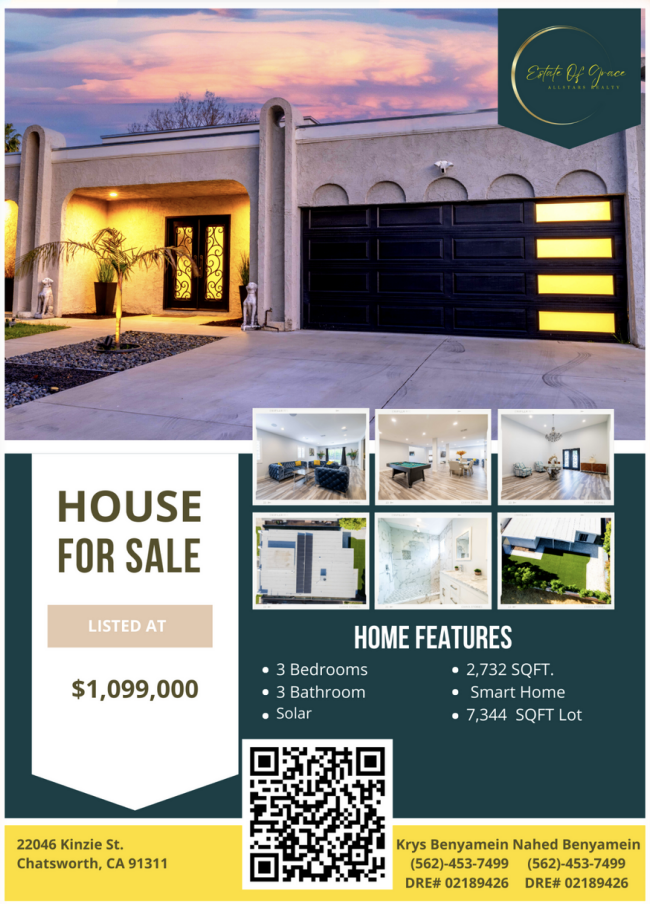
Finally, we’ve got the open house flyer. Krys and his team door knock the listings and hand these out. And, of course, each has a QR code to capture information and lead people to more information about the home.