


My social media team posts somewhere around 80 pieces of content a month, and we watch how they perform like hawks. From the results, we’ve discovered that one type of content repeatedly gets thousands of views—the meme reel.
While views are not the be-all-end-all of a social media strategy (you still need to convert them into leads, after all), the higher the number, the more brand awareness you enjoy and the more opportunities for engagement you create.
Plus, Instagram’s algorithm favors content with high engagement, so a post that gets a lot of attention is more likely to be promoted on the Explore page or in users’ feeds, leading to even more visibility.
But the real reason for creating a meme reel is to create an opportunity where you can position yourself as an authority qualified to solve one of your audience’s pressing problems.
Here’s how to create a viral-worthy meme reel.
#1. Identify a key pain point
Everyone has at least one pain point in their daily lives, and speaking directly to that of your audience will enable you to relate to them on a personal level and demonstrate how you can help. There are two ways you can go about this.
Given that different niches have different pain points, you may want to go with one that relates to your specific audience. Consider the problems that you routinely hear from your prospects and clients and pick one.
Alternatively, you can select an issue that speaks to a broader audience. For example, many buyers are struggling to find a home that fits their budget or to figure out what the NAR settlement means—buyers and sellers both have questions. There’s any number of pain points you can select from.
#2. Write a title that describes the pain point from their point of view
The trick is to examine the issue from your audience’s perspective. If you go with the problem of finding a home that fits a buyer’s budget, you could create a title like “When I waited to buy a home, thinking prices would drop . . .”
Or to tackle the NAR settlement, you could try “I’m a seller. Why the heck should I pay a buyer agent’s commission if I don’t have to?”
Chances are good that people are experiencing or seeing the same problem in multiple ways, so try a few options and see what works. You can either jot down a few ideas and select the one with the broadest appeal, or you can post a few and test them against one another, tracking which performs best.
#3. Download the CapCut app, and search for the type of meme you want
You can download CapCut—a video editor and graphic design tool—for free onto your mobile device and either use the available templates or add your videos and images to the gallery. For beginners, the former is the easiest route.
Begin by scrolling across the top menu and selecting Meme. Then view the various options or click into the search box and type “foolish meme,” “angry meme,” “sad meme,” “regretful meme,” or “laughing meme.” Browse until you find the video that works with the vision you have for your reel.
#4. Create your video clip to support your title
Now we get to the fun part. Click the video you’ve chosen to preview it, and then click Use This Template. You’ll be brought to the design screen, where you can try all the bells and whistles to customize the template. For beginners, though, you may want to stick with simply adding your title using the Text tool and calling it a day.
Export and download your video meme for use in your reel.
#5. Write a caption that defines you as the expert who can solve the pain point
This is the important part of the post; it’s the reason for creating a meme reel in the first place. Open Instagram, add your CapCut video, and write a caption for your reel that references the pain point and frames you as the person who can help viewers solve it.
Keep it short and direct to maintain interest.
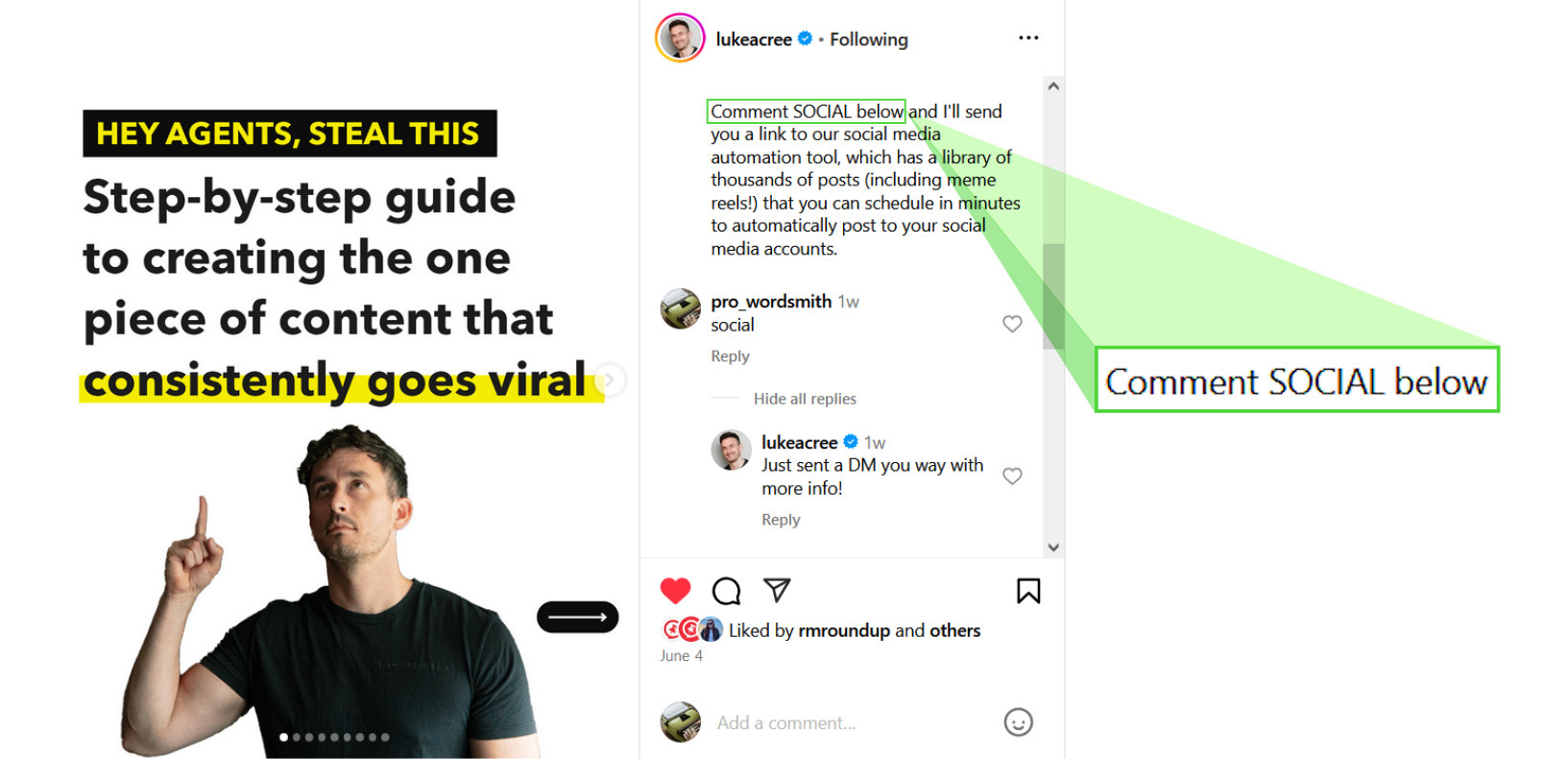
#6. Finally, add a call to action
A significant mistake agents make when creating content is neglecting to tell their viewers what they should do with the information they’ve been given. Sometimes it may seem obvious, but even then you should specify what action you want them to take.
One of the simplest calls to action is to ask viewers to comment with a single word to receive more information that will help them solve their problem—”e-book,” for example, if you’re promising a free e-book.
Take action
Building a meme reel is a pretty straightforward process once you get comfortable with CapCut or another app of your choice. So, create one before the end of the week, post it, and be prepared to see your engagement rise.
But if you don’t have the time or simply have better things to do, check out ReminderMedia’s Social Media Automation tool with its 30-day free trial. It’s got a library of thousands of prewritten and designed posts, including meme reels, representing dozens of topical categories.
With just a couple clicks, you can fill your social media calendar to automatically post to your Instagram and Facebook pages for up to an entire year.