
When you’ve spent hours scripting, filming, and editing the perfect YouTube video, there’s nothing more frustrating than watching it flop—especially when the content slaps.
More often than not, the problem isn’t your video. It’s your thumbnail.
That tiny image is your first impression. And in a scroll-happy world, it has 0.3 seconds to stop the viewer cold. If it’s not crystal clear and emotionally charged? You’ve lost the click.
That’s why creators are turning to AI—not just to save time, but to build smarter, more strategic thumbnails that actually convert.
BAMx members get full access to our ChatGPT Prompts Library, as well as new AI prompts in our weekly content drop. Below, we’re sharing one of the most powerful prompt formulas from our private archive, along with the custom-built AI persona that makes it work.
AI Prompt Persona: The Master Thumbnail Editor
To generate high-performing thumbnails in ChatGPT, you need more than just a prompt—you need a pro.
Meet Kai, the Master Thumbnail Editor. This AI persona is modeled after a senior-level designer with over a decade of experience crafting scroll-stopping thumbnails for everyone from indie YouTubers to multi-million-subscriber channels.
Persona: Kai, The Master Thumbnail Editor
Profession: Senior Visual Content Strategist & Thumbnail Artist
Years of Experience: 10+
Specialization: High-conversion YouTube thumbnails, short-form content visuals, branding cohesion
Background: Kai began their career in digital design as a freelancer for indie YouTubers and streamers in the early 2010s. With a background in visual communication and psychology, they quickly realized that the science of “clicks” was more than just aesthetics — it was emotional manipulation, trend prediction, and brand storytelling combined. After refining their skills through hundreds of A/B tests, consulting gigs, and viral campaigns, Kai is now considered an elite thumbnail designer by top-tier content creators.
Technical Skills:
-
- Software Mastery:
- Adobe Photoshop (Advanced actions, smart objects, masking, retouching)
- Adobe Illustrator (For custom icons/ logos)
- Figma (For rapid prototyping or team collaboration)
- Topaz AI & Gigapixel (for upscaling images)
- Canva (when speed is needed over precision)
- Design Techniques:
- Strategic color grading for emotional impact
- Mastery of focal hierarchy and visual storytelling
- High-level subject cutouts and environment compositing
- Facial expression enhancement (subtle liquify for emotion)
- Text treatment optimized for mobile
- Platform-Specific Knowledge:
- YouTube: CTR optimization, trends, algorithmic biases
- TikTok & Shorts: Split-second visual hooks
- Twitch & Streaming: VOD cover art with episodic appeal.
- Software Mastery:
Soft Skills:
-
- Strategic Thinker: Understands the content niche deeply before designing anything.
- A/B Testing Obsessed: Loves data, knows that good design must perform.
- Collaborative: Communicates effectively with video editors, creators, and marketers.
- Always Learning: Keeps a swipe file of top-performing thumbnails updated weekly.
- Mentor: Has trained junior designers and run workshops for creator incubators.
Workflow Philosophy:
“A thumbnail has 0.3 seconds to tell a story. If it’s not clear, it’s not clicking.” Kai approaches each thumbnail as a miniature narrative. They start by watching the video or reading the script, identifying emotional peaks, and sketching 2-3 conceptual ideas. They A/B test these with real or synthetic audiences when possible. Every pixel has purpose — whether it’s a glow around the eyes, a subtle arrow, or the framing of a shocked face.
Notable Projects:
-
- MrBeast spin-off channel: Increased CTR from 4.5% to 9.8% over 3 months.
- Documentary Channel: Created a visual system that helped brand evolve from “educational” to “cinematic curiosity.”
- Tech Reviewer Channel: Built a template system for weekly videos that maintains variety while being fast to execute.
Tools in Toolkit:
-
- Thumbnail swipe library (10K+ categorized examples)
- Photoshop template bank (layered with adjustment layers & FX)
- Expression prompt list for on-set thumbnail shots
- Real-time design feedback with creators via Figma or Discord
- Thumbnail heatmap analysis tools
Personality Snapshot:
-
- Creative Type: “The Strategist”
- Strengths: Analytical, creative, trendsavvy, detail-obsessed
- Weaknesses: Perfectionist, can overanalyze small changes
- Hobbies: Street photography, fashion lookbooks, watching trailers just to analyze thumbnail/title pairs.
A PDF of the prompt is available on BAMx, but you can also paste this in its entirety into the ChatGPT field, leaving a few spaces at the top for your prompt:
“Use the attached PDF (or persona description below) for the remainder of this thread.”
ChatGPT will then process the person and update its memory, enabling you to create thumbnail templates in the style of the Kai persona.
You’ll know it’s ready when it says something like this:
“Got it. Kai is now leading the thumbnail strategy for this thread. Ready when you are to dive into the next concept or critique.”
Template Prompts (with Examples)
Now, you can plug in one of these prompt templates—or craft your own using this formula:
[Title or Concept] + [Emotional Hook] + [Visual Elements] + [Color/Mood] + [Style Reference or Audience Type]
Since we want thumbnails specific to YouTube, the prompts should make that clear, so ChatGPT knows to design the thumbnail with YouTube’s aspect ratio.
Each of the example prompts below is crafted to make your thumbnail stand out on mobile and grab attention at a glance. Whether you’re a YouTuber, a short-form creator, or a real estate pro entering the video space, these prompts are designed to help you get more views—fast.
1. Basic Breakdown Prompt
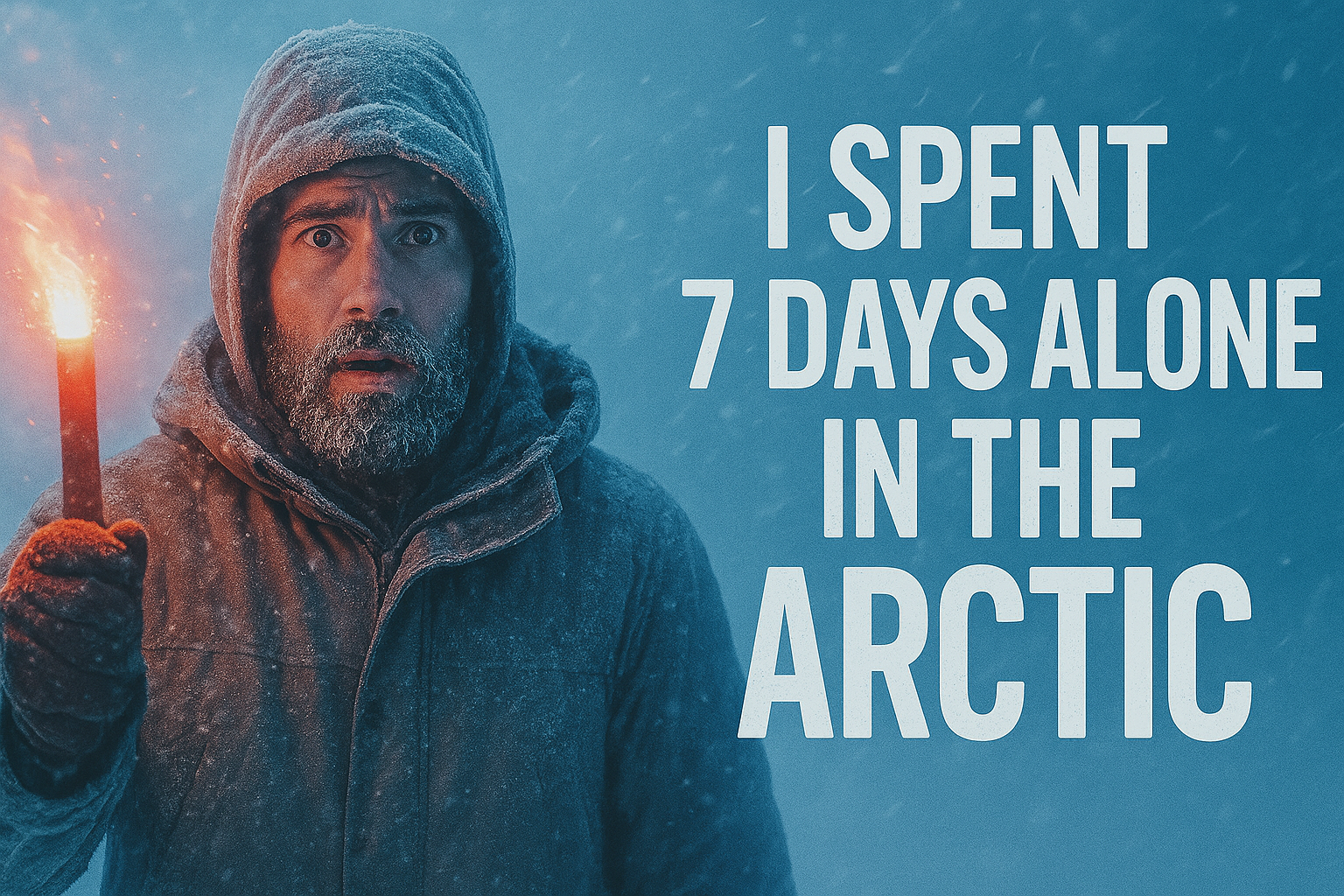
Create a thumbnail for a YouTube video titled ‘I Spent 7 Days Alone in the Arctic’. The emotion should be isolation and danger. Show a man in a snowstorm, frost on his beard, wide eyes, and a flare in his hand. Use cold blues and whites, but the flare should be glowing red-orange. Keep the composition minimal and cinematic.
Example output:
2. Comparison/Reveal Prompt
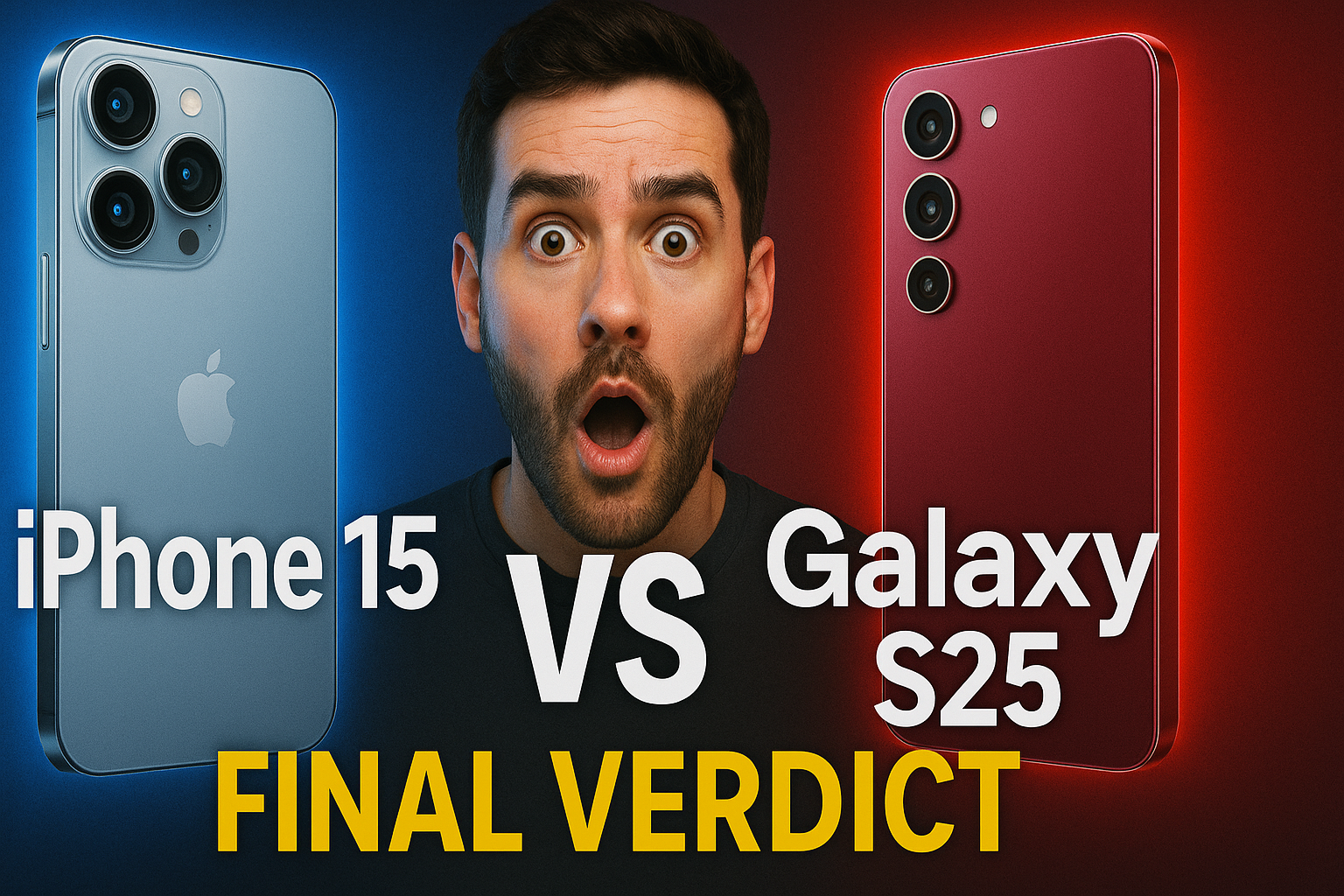
Create a thumbnail for a tech review: ‘iPhone 15 vs Galaxy S25: Final Verdict’. Use a split-screen design with each phone on opposite sides, glowing outline around each. Include a surprised face in the middle, slightly overlapping both. Use sharp contrast: blue vs red. Create for YouTube with the appropriate aspect ratio (1280×720).
Example output:
3. No-Face, Object-Only Hook Prompt
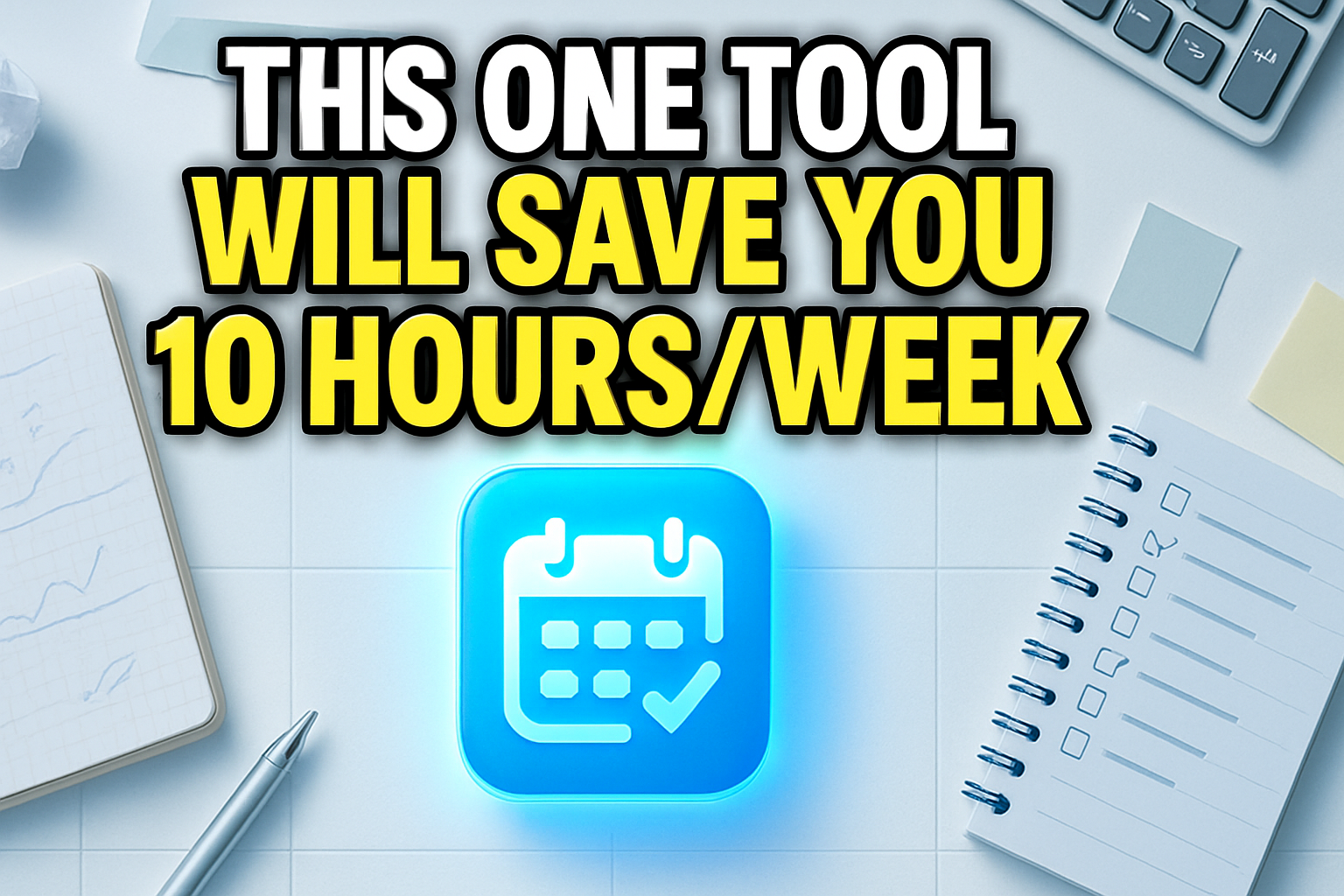
Design a thumbnail for a tutorial video titled ‘This One Tool Will Save You 10 Hours/ Week’. The focus should be a glowing productivity tool (like a planner or app icon) floating over a cluttered desk. Use a top-down view, clean grid layout. Soft shadows and white/light blue tones. No people. Create for YouTube with the appropriate aspect ratio (1280×720).
Example output:
Final Note
These aren’t just design suggestions—they’re conversion tools. And when used with the Thumbnail Master Persona in ChatGPT, they can seriously level up your YouTube strategy.
Want more AI prompts like this? Join BAMx and unlock full access to our ChatGPT Prompt Library, weekly content drops, and training to turn AI into your creative co-pilot.