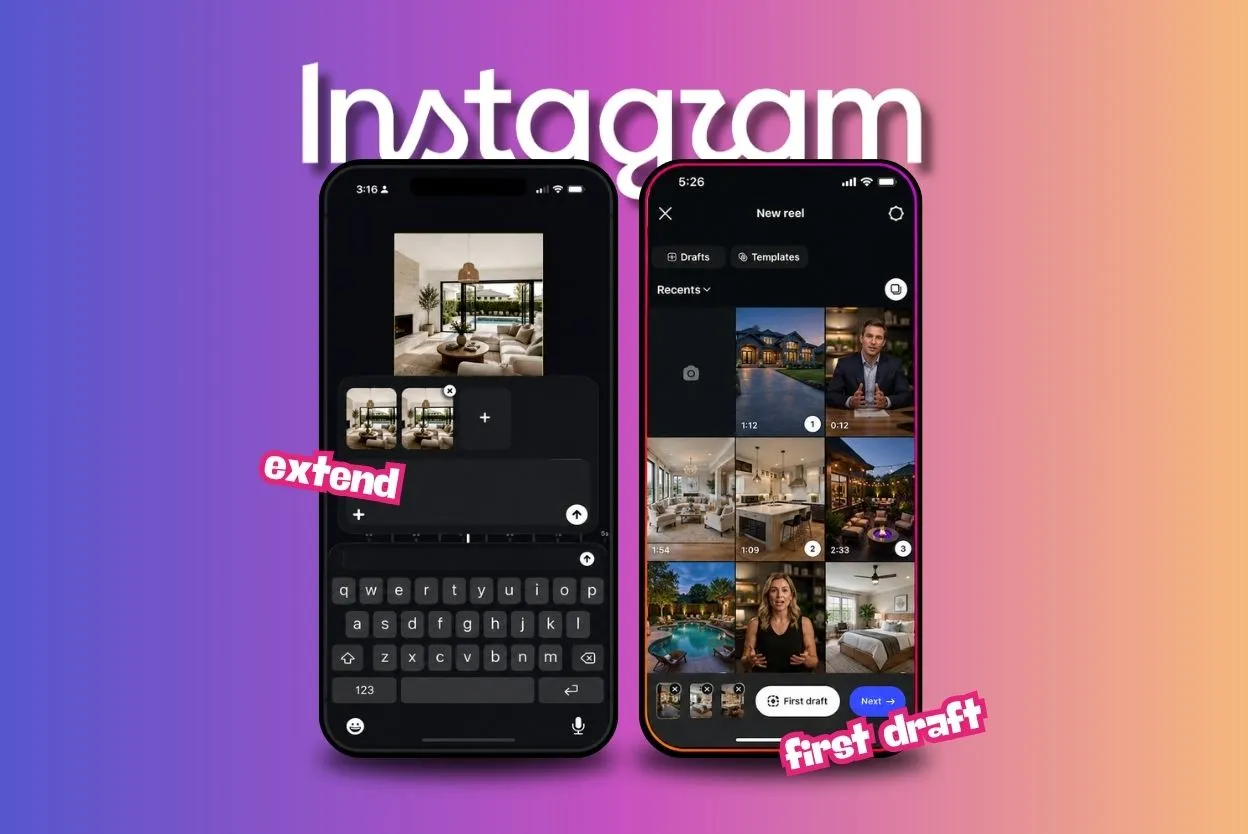
Instagram just rolled out some new features, and we’re calling out two of them for real estate agents.
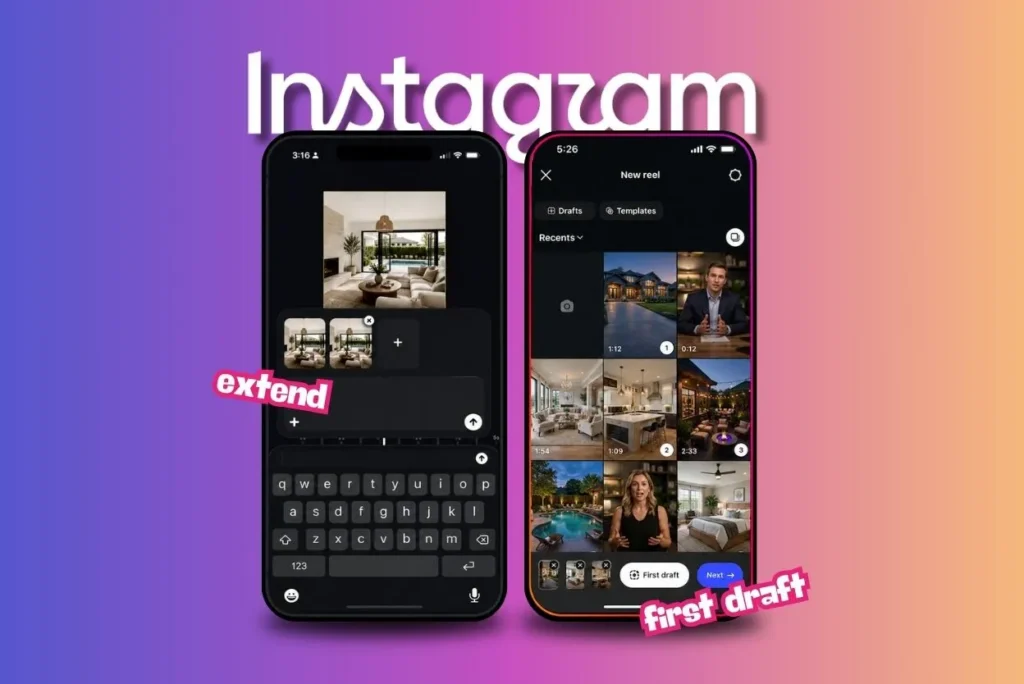
First Draft is a one-tap feature that turns raw clips into a starting-point Reel in seconds, right inside the Reels creation flow.
Extend is a new Edits feature that turns any photo into a moving clip with AI.
We’re breaking down what both features do and how agents can use them.
Instagram’s First Draft
First Draft does exactly what it sounds like: gives you a first round of video edits to give you a head start.
Here’s how it goes:
- Select your clips in the Reels gallery within the Instagram app.
- Tap the button.
You get a Reel back with pauses cut out and the clips trimmed down, ready for you to review.
View this post on Instagram
Two caveats. One, this feature is AI-driven. Two, it’s starting on iOS only.
For talking-head videos, the tool is meant to find the silences between your sentences and cut them out. What you said comes through without the dead space in between.
Fortunately, everything First Draft does is reversible. Reorder clips, remove one, adjust the cut, or start over. Instagram saves the original clip so you can save some changes and toss others.
That functionality no doubt came in handy for this commenter:
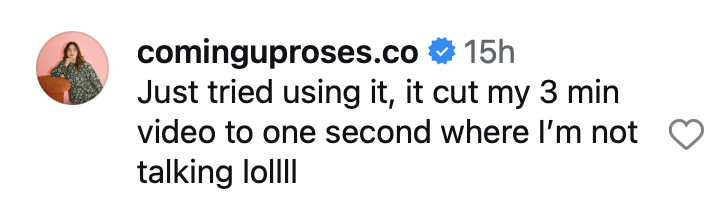
To be fair, Instagram frames the first pass as a starting point you build on and not a finished decision. Hence the name: “First Draft.”
The feature is built for the kind of content real estate agents already shoot:
- Multi-clip montages
- Talking-head videos
- Day-in-the-life content
And Instagram, to its credit, is framing the reversibility of its edits as a core promise of the feature. Almost like they know AI’s limitations when it comes to content.
No surprise, AI came up in the comments, specifically related to concerns that a creator’s video would be labeled as AI content once they used First Draft to trim it down.
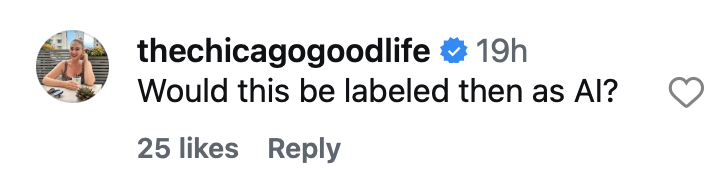
We’re still waiting on an answer to that comment.
How to Access First Draft in the App
There are two ways into the feature, and both stay inside the Instagram app.
- Open your Reels gallery, select one or more clips, and tap the “First draft” button at the bottom of the screen. Review the edit, then move into the full editor or publish.
- Open the Instagram camera and film your content. Tap “First draft” when you’re done. Review the edit, then move into the full editor to publish.
There’s no separate app to download. No export step, either, which saves time.
All in all, this could be a big help for real estate content creators on IG. If it works as intended.
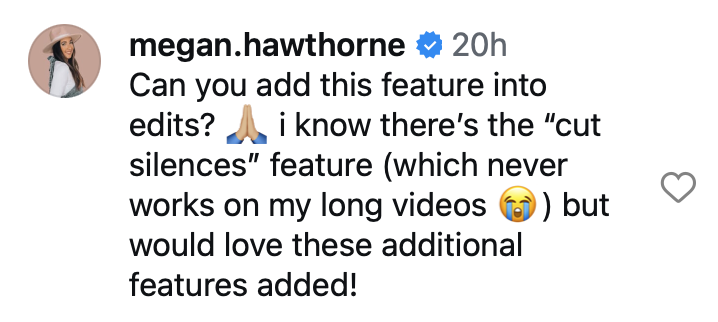
Still, some commenters are wondering why Instagram hasn’t added this feature to the Edits app.

Instagram’s Extend Feature in Edits
Instagram also announced three new features for the Edits app: Folders, Extend, and Save Text Styles.
We’re focusing on the Extend feature, which can turn any photo into a moving clip.
View this post on Instagram
Here’s why we love this.
The eye is naturally drawn to movement, so a moving image of a beautiful home (giving it a “walking up the sidewalk to the front door” feel) is more likely to stop the scroll than a static photo. Agents can use that to draw attention to their clients’ listings.
When viewers feel like they’re being drawn up to the front door, their brain tells them they’re being invited to take a closer look. A static image of a house doesn’t have the same feel.
Other ways real estate agents can use this feature:
- Animate an aerial or drone shot to simulate a flyover for waterfront or acreage listings
- Bring a before-and-after renovation photo to life with a slow pan across the space
- Animate a lifestyle photo, like a backyard pool or a rooftop deck, to highlight the feel of a space
- Turn a listing photo into a “coming soon” teaser clip for social media
- Animate a headshot into a short intro clip for a bio or profile page
Using the Extend feature is as simple as telling Edits what to do with an AI prompt.
Where These Features Fit Into an Agent’s Content Routine
Listing walkthroughs shot as a series of short clips, room by room, fit the multi-clip format First Draft is built for.
Select the clips from a walkthrough, tap the button, and you get an assembled rough cut back instead of trimming each clip on its own. That’s the idea, anyway.
As more creators put this feature to the test, we’ll no doubt learn whether it delivers something that actually saves agents time rather than costing them more to fix what the feature did wrong.
In the meantime, market update videos and talking-head content could benefit from the silence trimming, which means you’ll spend less time cutting out pauses between thoughts on camera.
Day-in-the-life content also fits the same format Instagram built the tool around.
Think:
- Open house prep
- A full showing day
- Closing day
This should go without saying, but always check your videos, especially talking-heavy clips, before you publish. Clips past a minute or two need the closest look.
The tool is built to find the talking parts, but clearly, for some users, it could end up cutting those out rather than refining them. Oops.
Extend fits into the routine differently. It’s for the moments when there’s no video at all, just a photo. That listing hero shot sitting in your camera roll, the one you never got around to filming a walkthrough for, can become a moving clip without a re-shoot.
That makes it useful for:
- Older listings you want to bring back to a feed
- Any post where video wasn’t part of the plan when the photo was taken
A “sold” sign photo turns into a small announcement instead of another static graphic. A single aerial shot turns into something closer to a flyover.
Test These Features for Yourself
Test First Draft on the next listing walkthrough or day-in-the-life clip set you shoot. Tap the button instead of trimming each clip by hand.
Review the draft before you publish it, every time. Remember: it’s a starting point, not a final cut.
Test Extend on a listing photo or a set of before and after shots. Or try it with a photo you’re including in your next email.
Instagram’s continuing to update these features, and wider Android support for First Draft could come with time. Keep an eye on the IG and Edits apps for changes, and give First Draft a try on a low-stakes post before you lean on it for a listing video that needs to be right.