

Let’s be honest: real estate doesn’t happen behind a desk.
Most agents spend their days running from one appointment to the next, taking calls between showings, and recording content in their car (hopefully not while driving).
That’s why mobile AI tools aren’t a luxury anymore; they’re the key to staying sharp, responsive, and ahead of the game while you’re in motion, whether you’re at an open house, in line at your favorite caffeine stop, or stuck in traffic between listings.
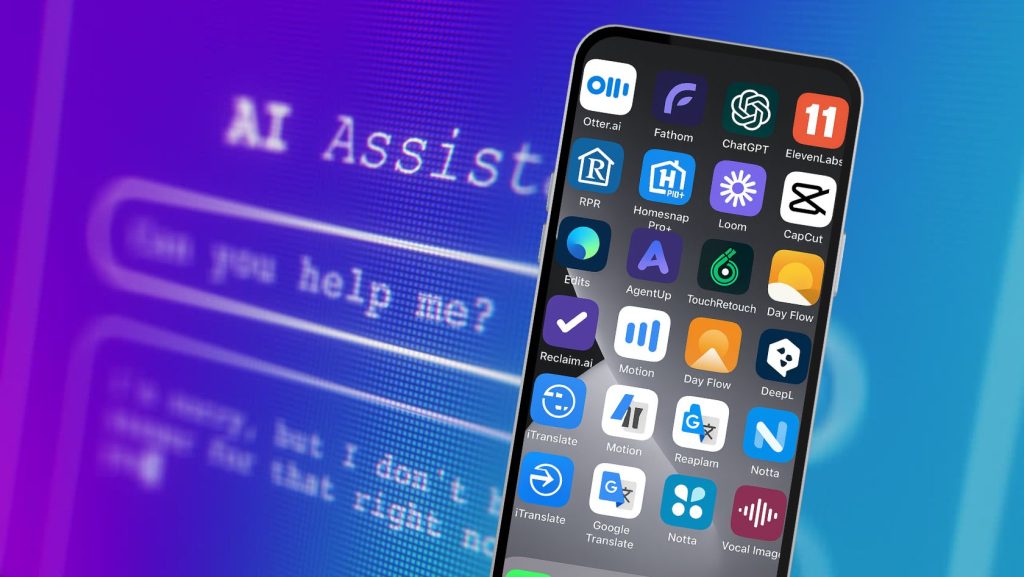
Here are 10 real-world use cases where mobile AI apps can make your day easier, faster, and way more efficient.
1. Summarize Appointment or Meeting Notes
You just wrapped a buyer consult or a listing presentation, and your head is full of details. Instead of trying to remember everything later, record the meeting and let AI generate a summary with action items.
AI Mobile Tools to Try
- Otter.ai (iOS & Android): Real-time transcription and summaries
- Fathom (Zoom mobile): Automatically captures meeting highlights
2. Instant Property Description and Audio Property Tours
AI-powered writing assistants can generate detailed listing descriptions and engaging social media posts in seconds. Just type in or dictate key features of a property, and these apps can produce multiple variations, saving valuable time and ensuring a professional and captivating message.
Go one step further and use that property description, along with your cloned voice (or a premade voice of your choosing), to create an audio property tour to add to a video or share with a client.
ChatGPT Tip: Add this to the end of every ChatGPT prompt: “Ask me any questions that will improve the result you will give me” —or “Give me three options I can choose from.”
AI Mobile Tools to Try
- ChatGPT mobile app
- ElevenLabs (iOS & Android)
3. Dynamic Market Analysis in the Field
Instead of waiting to get back to the office to run comps, you can access AI-powered market analysis tools on your phone. These apps provide real-time data on property values, market trends, and neighborhood statistics.
This enables you, as the agent, to answer client questions with confidence and provide data-driven advice on pricing and investment potential.
AI Mobile Tools to Try
4. Effortless Video Creation & Editing for Property Tours
Video is a powerful tool in real estate marketing. AI-powered mobile apps can automatically create professional-looking video tours from a series of photos or short video clips.
Want to share highlights from a showing? Or maybe record & share a one-on-one video with a client. Use AI tools that turn your script or notes into a short, engaging “talking head,” voiceover, or avatar-led video you can post or send before you leave the driveway.
AI Mobile Tools to Try
- Loom (iOS & Android)
- CapCut (iOS & Android)
- Edits by Meta (iOS & Android)
5. Quick Photo Enhancement and Editing
Great photos are crucial for attracting buyers. AI-powered photo editing apps can automatically enhance property photos, adjusting lighting, color, and sharpness to make them look their best. Some apps can even remove unwanted objects from a photo or replace a dreary sky with a beautiful blue one, all with a few taps on a smartphone.
AI Mobile Tools to Try
- AgentUp (web & iOS)
- TouchRetouch (iOS & Android)
- Adobe Lightroom Mobile
6. Brainstorm Social Content While Driving (Hands-Free)
Got a content idea while heading to your next showing? Use a voice recorder and AI to turn your random thoughts into usable captions, hooks, or post outlines.
You don’t have to have a fully-formed idea to start with, either. Just throw some ideas at the AI app (with voice dictation enabled) and ask it to give you some ideas for social media content for Instagram, Facebook, YouTube, etc.
AI Mobile Tools to Try
7. Schedule Management & Automated Follow-Ups
Keeping up with your calendar is a full-time job, especially when you’re juggling buyer tours, listing presentations, team huddles, and personal time.
AI-powered mobile planners help you block out your day, prioritize tasks, and even find time you didn’t know you had. Some apps integrate directly with your email and calendar to suggest optimal meeting times, remind you to follow up with clients, and prevent you from overbooking.
AI Mobile Tools to Try
- Reclaim.ai: Smart task scheduling
- Motion: AI daily planner
- Day Flow: AI Daily Planner (ADHD-friendly)
8. Translate and Communicate with Multilingual Clients
AI-powered translation apps can help you bridge language gaps on the fly, whether by text, audio, or even image recognition for documents and signs. These tools let you speak your client’s language (literally) and ensure clarity in high-stakes conversations.
Bonus: most work offline, too.
AI Mobile Tools to Try
- DeepL Translate (“the world’s most accurate translator”) (iOS & Android)
- iTranslate (text, voice & camera/visual translation: iOS, Android & web)
- Google Translate (iOS & Android)
9: Meeting Summaries & Next-Step Automation
When you’re managing multiple transactions, it’s easy to forget what you promised in that last phone call or Zoom meeting. AI apps can generate clean, shareable summaries of your meetings, complete with timestamps, action items, and follow-up reminders.
Instead of scrambling to take notes mid-call, you can stay fully present and let the app capture the conversation.This is especially helpful for team collaboration and client transparency (no more “Wait, did we say Thursday or Friday?”)
AI Mobile Tools to Try
- Otter.ai (automated meeting notes & real-time voice transcription, summaries, etc.)
- Notta.ai (AI notetaking, transcription, sharable clips, collaboration)
10: Real-Time Coaching and Role Play Practice
You won’t always have your team leader or coach on speed dial, but with mobile AI, you kind of do. You could be prepping for a tough listing appointment, troubleshooting an objection, or practicing how to respond to a sensitive client concern, and these AI chat tools can help you rehearse, refine, and deliver your message more confidently.
You can also work on voice tone, pacing, and delivery with apps that coach your communication skills.
AI Mobile Tools to Try
- ChatGPT Mobile (Role Play Practice)
- Vocal Image (Voice & Communication Skills/Coaching)
The best AI tools don’t sit in your office; they ride shotgun with you.
Want access to BAM’s premium tools, templates, and scripts right on your phone? BAMx members get it all, right inside the Skool app.
Not a member yet? Sign up today for a 7-day free trial.