

Phil Stringer opened his BAM BBQ session on agentic AI with a claim aimed at every real estate agent watching:
If you’re only typing questions into AI, you’re missing 95% of what it can actually do for you.
From there, he broke down a dizzying list of tasks performed by one of his AI agents when he enters the prompt, “Let’s run a new live training.” That’s ONE AI agent. And he doesn’t stop there.
But before you can build a team of AI agents like Stringer’s, you’ve got to build your first.
Stringer showed exactly how in four steps: from getting the right plan to teaching the AI agent a skill it can run again (and again) without being retaught.
Here’s how the process works.
Get the Right Plan Before You Do Anything Else
The first two decisions come before any real setup work begins.
Stringer tells agents to download the desktop version of whichever AI tool they choose, rather than the browser version. He demonstrates using Claude as his AI platform. The desktop app lets the AI act directly on the computer instead of only working through Chrome.
(Note: Stringer isn’t saying you shouldn’t use Claude in Chrome; he actually recommends this for some AI uses. But for creating an AI agent, you’ll want the desktop version.)
Then comes the plan itself. For Claude, Stringer is specific: pay for the $20 a month tier. That’s the monthly rate you’ll see if you’re based in the United States. Outside the U.S., the monthly rate for a Pro membership can vary.
Stringer explains exactly what gets lost on the free plan:
“So you want to have the $20 a month, especially with Claude because with Claude, if you have the free plan, you don’t have what’s called Cowork or Code. You just have the regular chat. Cowork and Code are the agentic platforms that can basically move, click a mouse, do things for you with your files. And the regular chat doesn’t have all that functionality.”
Without Cowork or Code, the AI stays limited to answering questions inside a Chat window. It can’t move a mouse, click, or work inside files on its own.
Move Your Memory Over the Right Way
Once the plan is set, the next step is moving years of context from an old AI tool into the new one.
Stringer’s method starts with an export memory prompt, pasted into whichever tool currently holds that history. It pulls out the most important memories along with the date each one was created.
From there, paste those memories into a document and clean them up before anything gets reused. Stringer learned the hard way why that step is an important one.
He now insists on cleaning up memory before moving it:
“Long story, I was helping someone with a wedding. A friend of mine was the maid of honor for her sister’s wedding. She was like, ‘Can you help me write this with ChatGPT?’ So I helped her with my account. Later on in my memories, I didn’t realize it till like six months later. It was like Phil Stringer was the maid of honor at his sister’s wedding.”
Once the memories are scrubbed and accurate, copy them into the new tool. Claude has a dedicated section in its settings built specifically for importing and exporting memory.
Connect the Tools Your Agent Needs (to Do the Things)
With the plan and memory in place, you still need access to the accounts and data it’s supposed to work with. In Claude’s settings, this happens under “Connectors.”
Stringer’s own account shows what a working setup looks like.
It’s connected to:
- Chrome, so it can access anything running in the browser
- The file system, for local documents and files
- Text messages
- Notes
He recommends spending about 10 minutes clicking through the native Connector list and adding anything already in regular use, sorted by popularity to see the most common options first.
Unfortunately, not every CRM shows up as a native Connector. Follow Up Boss is one example.
Stringer explains why connecting a CRM is worth the extra step, even without a native option:
“Let’s say you want to connect your CRM. A lot of value in connecting your CRM because then you can talk to Claude, you can do follow ups, you can add people, you can get reports on who you need to follow, but there’s a lot of functionality with connecting your CRM to Claude.”
The workaround is Zapier (which is native to Claude). Add Zapier as a connector inside Claude, then go to zapier.com/mcp to set up a new MCP server. From there, roughly 9,000 additional apps become available to connect, Follow Up Boss included.
Teach It a Skill So It Remembers the Process
The fourth and final step is teaching the agent to remember a process on its own, without being walked through it every time.
Here, Stringer is talking about a Claude Skill, which he also describes simply as an SOP.
To build one, walk the AI through an actual task from start to finish, giving it your preferences as you go.
Stringer explains exactly how he taught Claude to book a flight, preferences included:
“Hey, I need to fly to San Diego in two days and I need to get a flight from Raleigh and I need you to be the one to purchase the ticket for me. I’ll walk you through it and give you all my preferences. I always start with going to Google Flights and then let’s just search for which flight and then you can ask me any questions that I need about preferences, airlines, all that. We’ll take it all the way to the payment page. I’ll be the one to click payment, but I want you to do this for me.”
Note: Claude, like other AI tools, lets you dictate your prompts (if you prefer), using the little microphone icon in the prompt field.
At the very end of that first walkthrough, tell the AI (in this case, Claude) to turn the whole process into a Skill. Everything it just did becomes a saved SOP, ready to run again on command.
The first time through takes focused effort. Every time after, it runs the moment you ask, either explicitly or by using a word or phrase the AI recognizes as a trigger.
Your Setup Work Pays Off Once, Then Runs Forever
None of this requires a technical background. All you do to build an AI agent is follow these four steps once. The fourth step, you can repeat for any new skill you want to teach your AI agent.
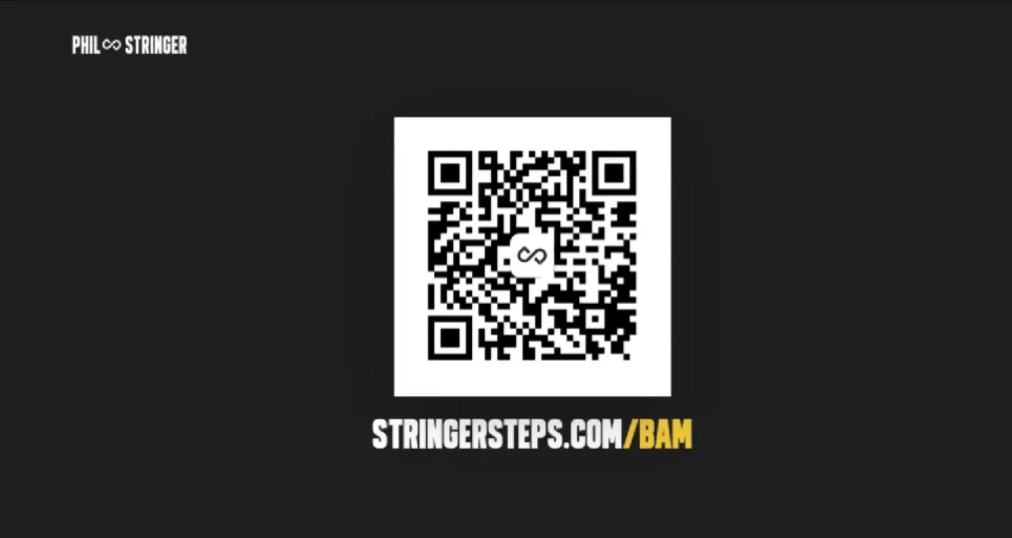
Stringer built a free, step-by-step resource for agents who want to go through this exact setup at their own pace, available at stringersteps.com/bam.
Once that foundation is in place, the real payoff shows up in what a single trained AI can do end to end, and in what happens when several specialized AI agents start working together.
Stay tuned for a follow-up post that breaks down exactly how to set that up.