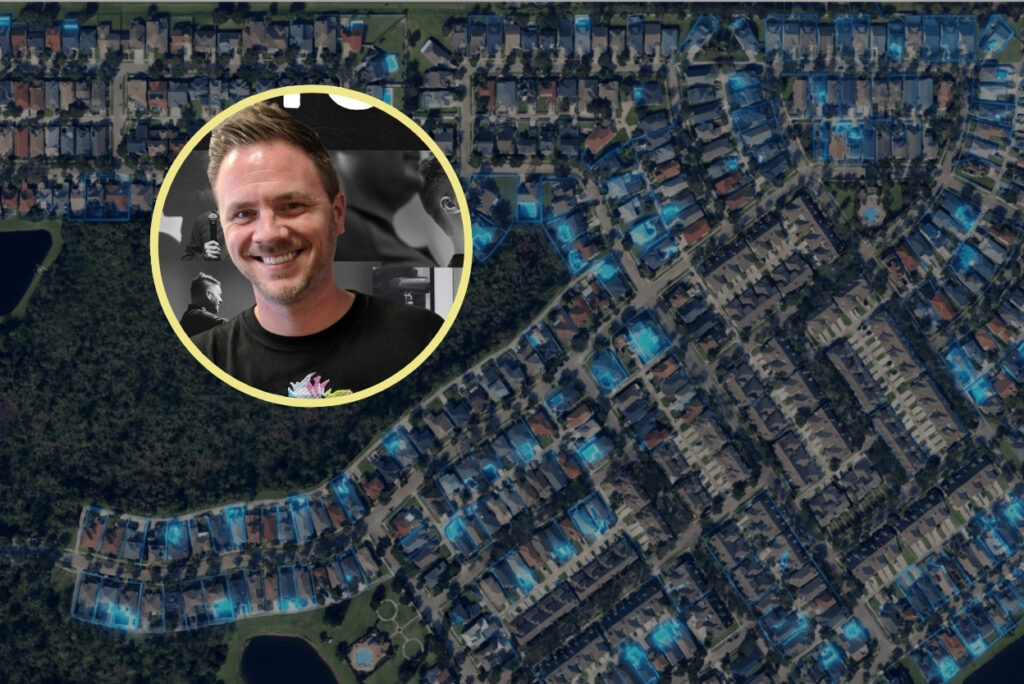


Google Earth and AI are a match made in hyper-local marketing heaven.
Here’s the exact tactical process I used to create neighborhood-level graphics like the one above.
Step 1: Go to Google Earth and Zoom Into ONE Neighborhood
Open Google Earth (you can use Google Maps or Apple Maps, but Google Earth is the best choice for this idea)
Zoom until you can clearly see:
- rooftops
- streets
- blocks
Then toggle the format to Clean (this removes all the lines and street names), and switch to 3D mode.
Take a clean screenshot.
Step 2: Decide Which of these 4 Map Plays You’re Making
Before you touch AI, choose one of these. Don’t mix them.
Option A — Pre-Market Tease
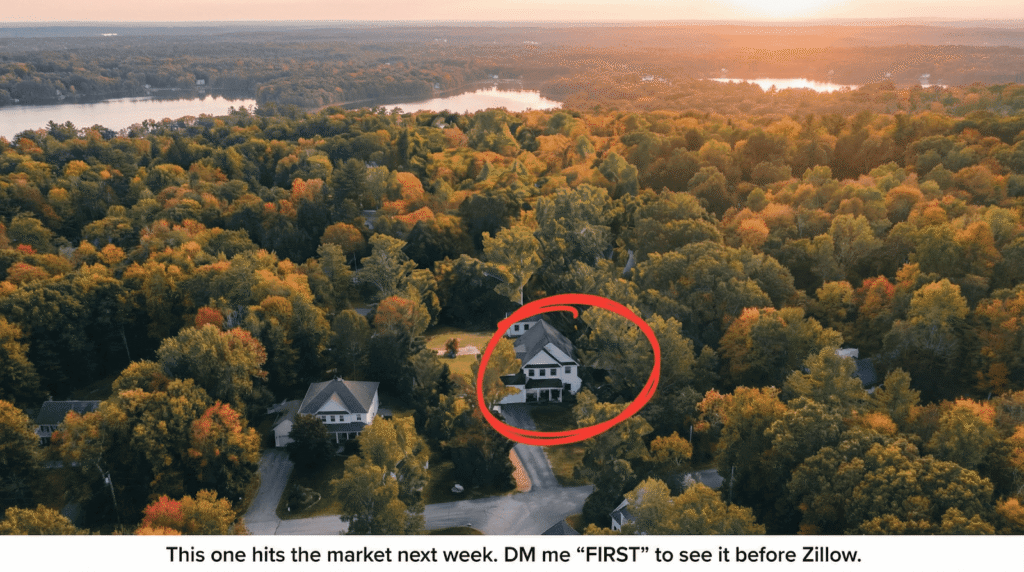
Purpose: trigger buyer FOMO + seller curiosity
You’re implying future activity without naming it.
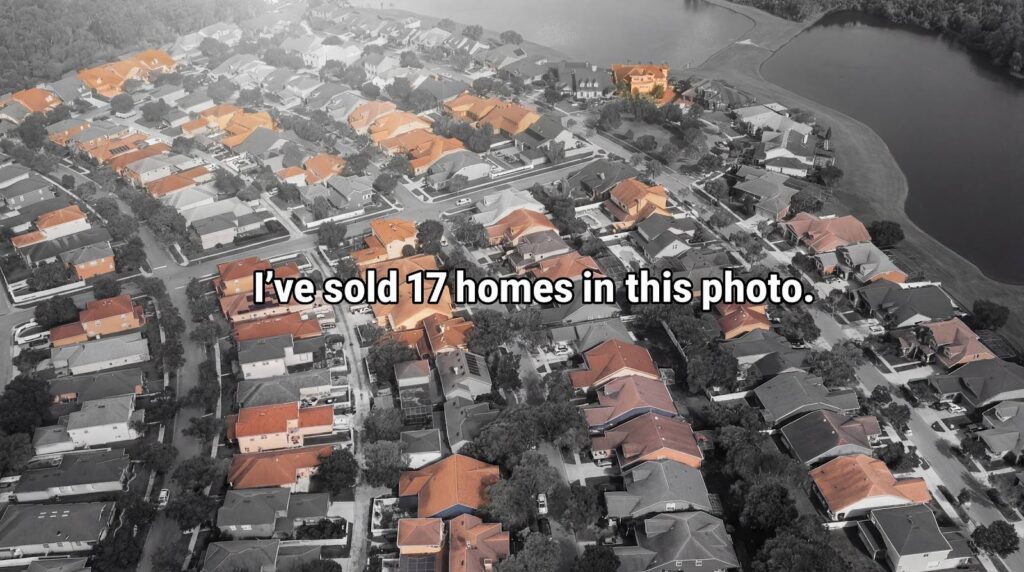
Option B — Track Record Proof
Purpose: show dominance without bragging
You’re proving repetition, not one win.
This is the online equivalent of having a ton of lawn signs up all at once.
Option C — Amenity Spotlight
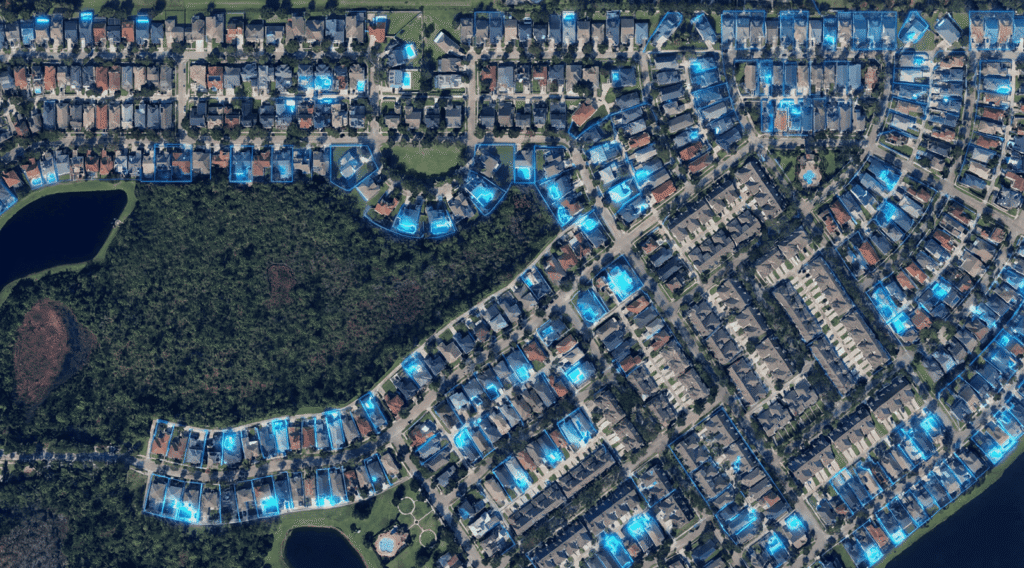
Purpose: show every home with a pool or with 4+ bedrooms, etc…
You’re revealing amenities, not listings. This opens up the number of homes worth highlighting and shows you know the neighborhood down to the details.
Step 3: Use AI to Create ONE Visual for Each Option
Drop the screenshot into your AI image tool (I highly recommend using Nano Banana Pro, which is what I used to make all of these) and apply the following treatments:
Selective Highlighting
- Light up the rooftops with a pool or spotlight this home
- Keep everything else muted or desaturated
The key with the prompts is that you use a technique called upscaling, which is what takes the screenshot to next level 4k sharpness, but does not change the content or the composition of the photo.
Use for:
- “One of these homes…”
- “I’ve sold X homes in this photo.”
- “Here is every home with a pool in Avalon Park.”
Add ONE Line of Text
Use one of these formulas:
- “One of these homes is about to hit the market.”
- “I’ve sold 17 homes in this photo.”
- “Your neighbor sold before Zillow knew about it.”
If the AI can’t get the copy right, just take the pic to Canva and add it there.
Post and Let Buyers & Sellers Self-Select
Do not feel the need to overly explain the image; you can use the caption to detail what the highlights mean and to add context.
Here’s what happens automatically:
- Buyers think: “I don’t want to miss this.”
- Sellers think: “This person already controls my street.”
You’re trying to trigger four thoughts at once, but in a very specific order:
- “This agent is an amazing marketer.”
- “This agent clearly knows this area better than anyone.”
- “I don’t want to miss homes before they hit Zillow.”
- “I should DM this person / get on that list.”
You don’t need more content ideas. You need fewer ideas that are clever and executed consistently.
Use real maps. Use AI to reveal patterns and design the assets.
That’s how hyper-local content turns into inbound DMs.
Bonus: To turn this up a notch, you can also use AI to turn these aerial shots into drone-quality video footage using Google Veo 3.