
40+ Posts in 30 Days: Here’s How to Recreate Our #1 Real Estate Reel

Boost your Instagram engagement with this proven real estate reel from Luke Acree. Learn how a 5-second video increased watch time, reach, and leads—step-by-step guide included.
40 Posts in 30 Days Here's How to Recreate Our #1 Reel
BAM Fest 2026

Join Sharran Srivatsaa, Chris Smith, Selene Hanna and a huge Mystery Guest for a live breakdown of the AI and content strategies driving more closings right now. Completely virtual and 100% free. Click HERE to reserve your free spot today.

FREE VIRTUAL EVENT
BAM Fest 2026

Join Sharran Srivatsaa, Chris Smith, Selene Hanna and a huge Mystery Guest for a live breakdown of the AI and content strategies driving more closings right now. Completely virtual and 100% free. Click HERE to reserve your free spot today.

When it comes to marketing, I’m constantly telling agents that there’s no need to start from scratch. The smartest approach is to find what’s already working and make it your own. That’s why I want to share an Instagram reel my social media team recently tested, so you can see exactly how to create it yourself.

Earlier this year, we posted content for three agents on the Acree Brothers Realty Team, the #1 team in Lynchburg, Virginia. Out of all the content we posted, our top post was the same on all three accounts (which is very rare). This one post reached four to five times more accounts than the next highest post.

Why it works

The genius of this idea is that it increases the watch time of your video. The longer people watch, the more Instagram’s algorithm assumes that the content is engaging and valuable. As a result, it will extend your reel’s reach, expanding your brand’s presence.

A greater reach means more homebuyers, sellers, and investors see your content. Plus, it could lead to more likes, comments, and shares—another signal to Instagram that your reel is popular. Finally, the more viewers you get, the higher your chances of attracting potential clients who are actively looking for real estate services. Include a well-placed call to action, and you can help convert them into leads.

How it works

Even though the video we created is only five seconds long, our analysis shows that people watched it for about eight seconds.

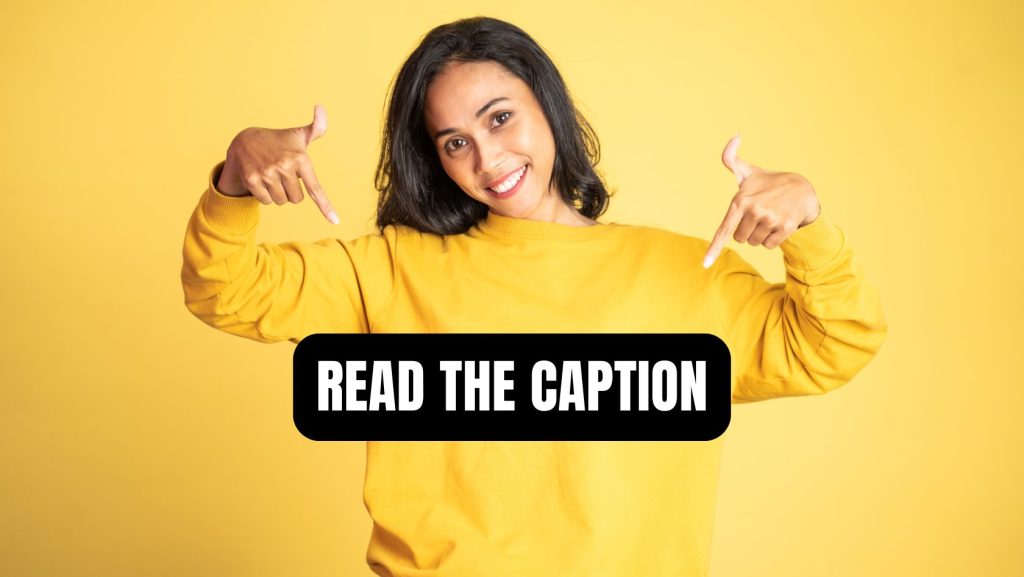
That longer watch time is made possible because our call to action at the end directs viewers to the caption. While they are reading it, the video continues to play in the background, automatically restarting—suggesting to Instagram that the reel is so engaging, people are watching it more than once. Instagram pushes content to more accounts when watch time is as close to (or above) the total time of your reel. They want to keep people on their platform for as long as possible, and content that has a high watch time helps them do that.

How to make this reel

There are two parts to crafting this Instagram reel. First, you need to select your hook and film your video. 

1. Use this exact ChatGPT prompt to create your hook. If you were a real estate agent wanting to make a post using this line, ‘The one thing that changed my mind about ________,’ what would you use to fill in the blank? Please provide 10 examples with a reason for each one. ChatGPT will return 10 examples specific to real estate. Choose the one that resonates the most with you, preferably something that you can expand on with a personal story or client experience. (More on that in a minute.)

2. Record your video. Shoot a five-second clip that visually connects to your chosen topic. As a way to represent the transition to homeownership, we created a video about why consumers should buy rather than rent and recorded my social media manager unlocking the front door to a home.
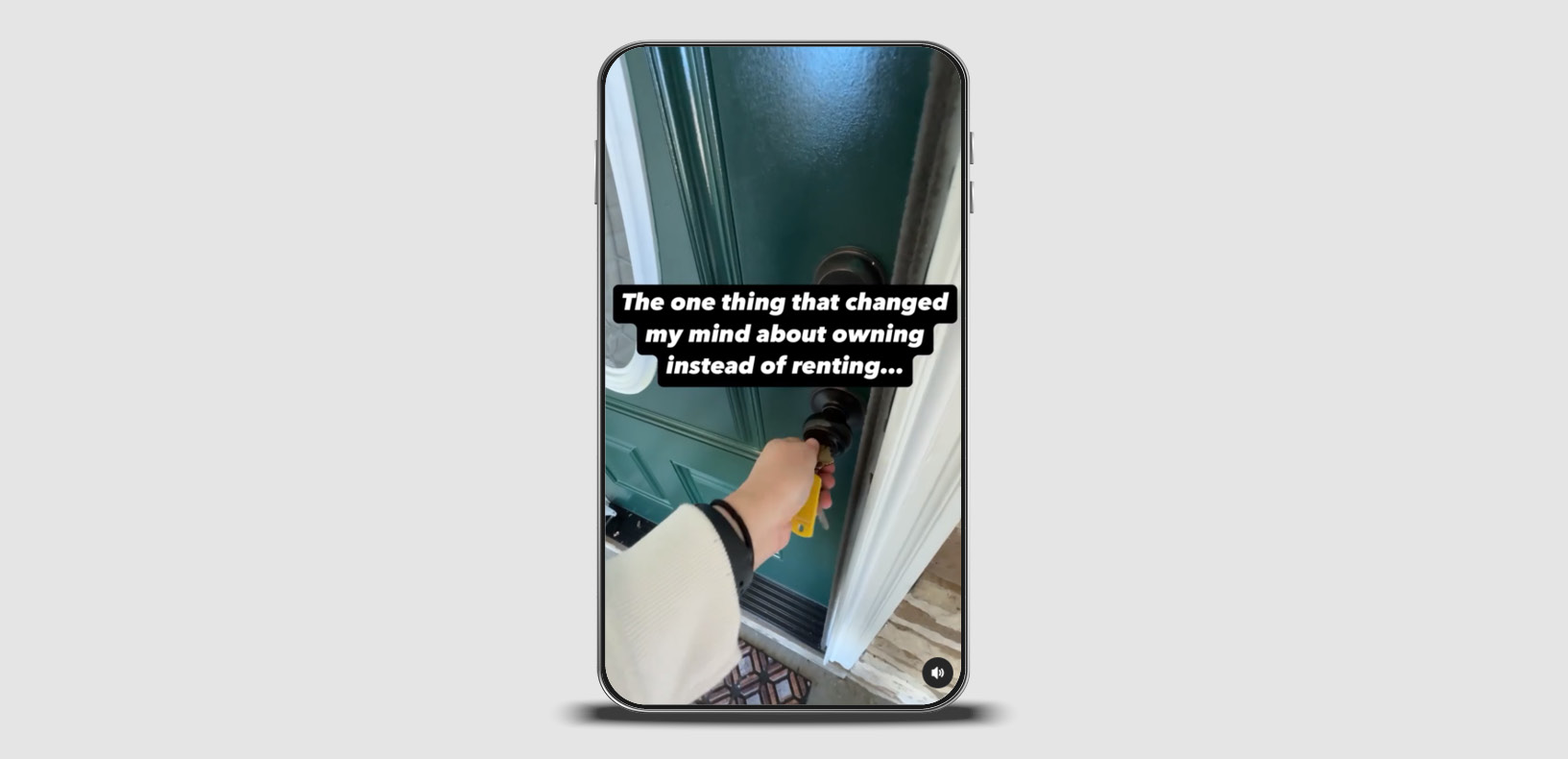
Next, assemble your video and captions and post the final reel to Instagram. 

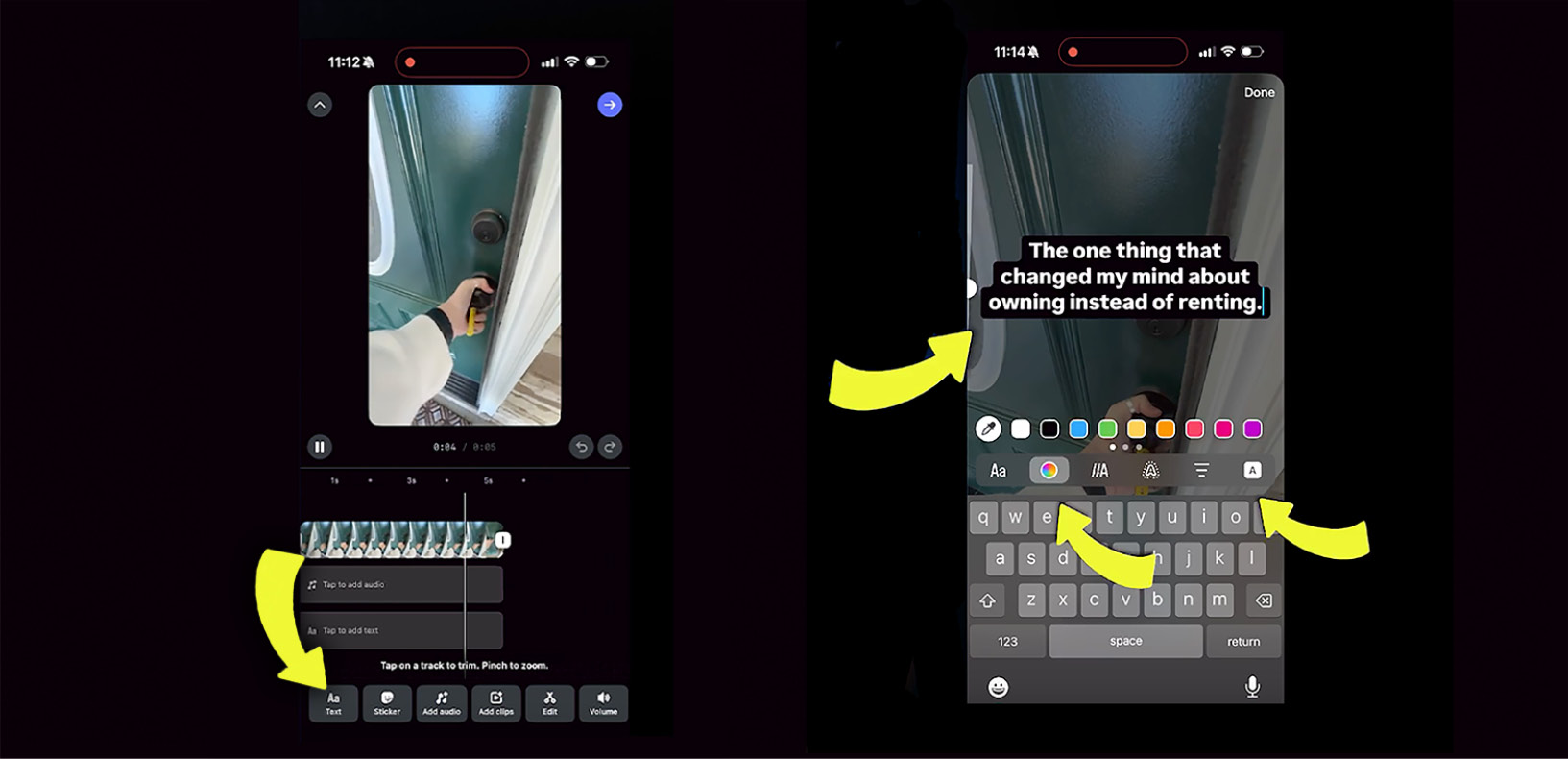
3. Edit the length of your video. Open Instagram and click the + button at the bottom center of your screen. Select the video you just recorded, then tap Next. Press and hold the slider at the bottom of your screen, dragging it to shorten your video to five seconds. When the length is correct, tap Next. 
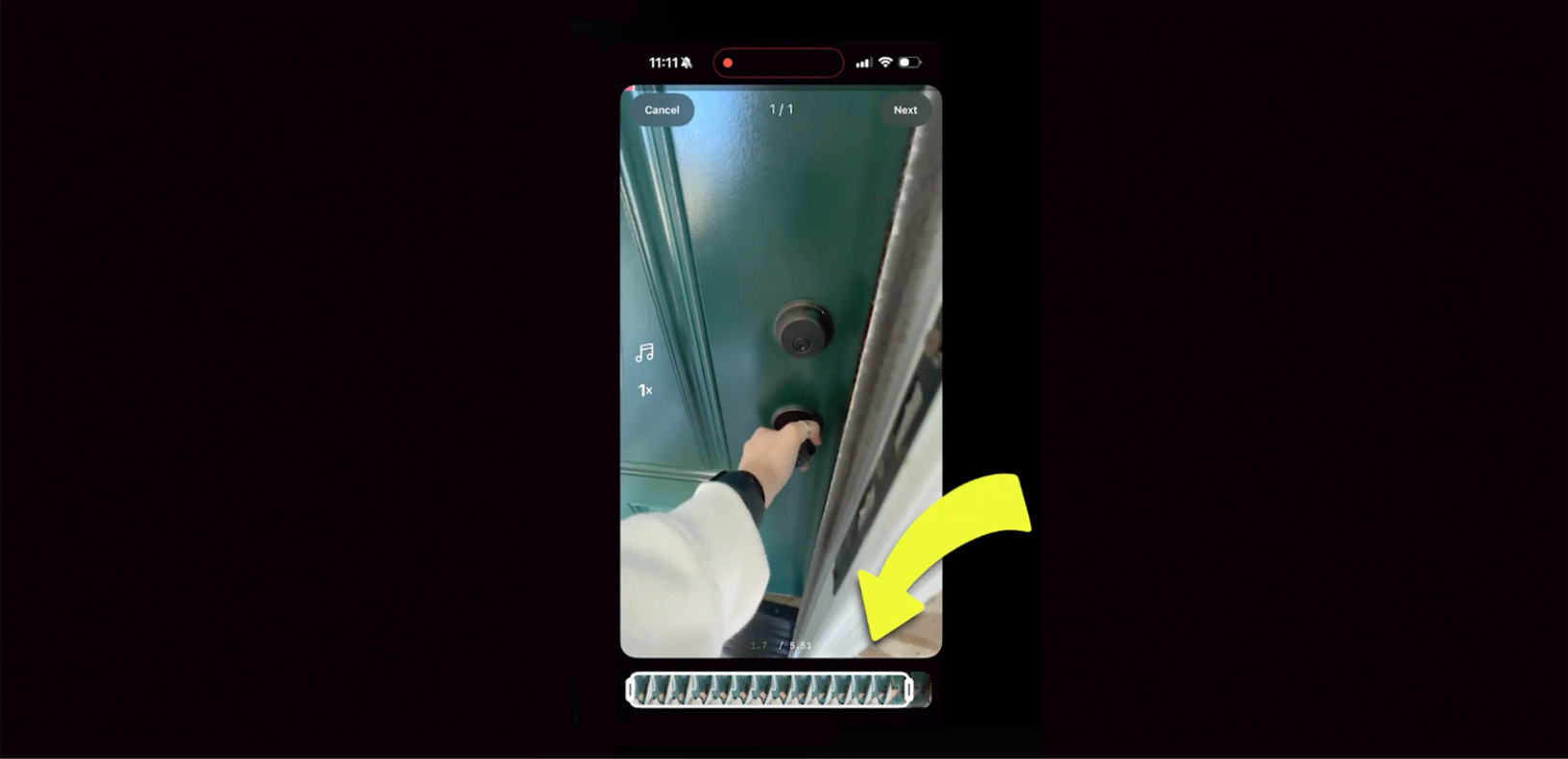
4. Add your hook. Tap the Text button, and enter the hook you selected from ChatGPT. Adjust your text as needed so it sits in the center of your video and is easy to read. When you finish editing your text, adjust the timing so that it shows on the screen for the entire duration of your video.
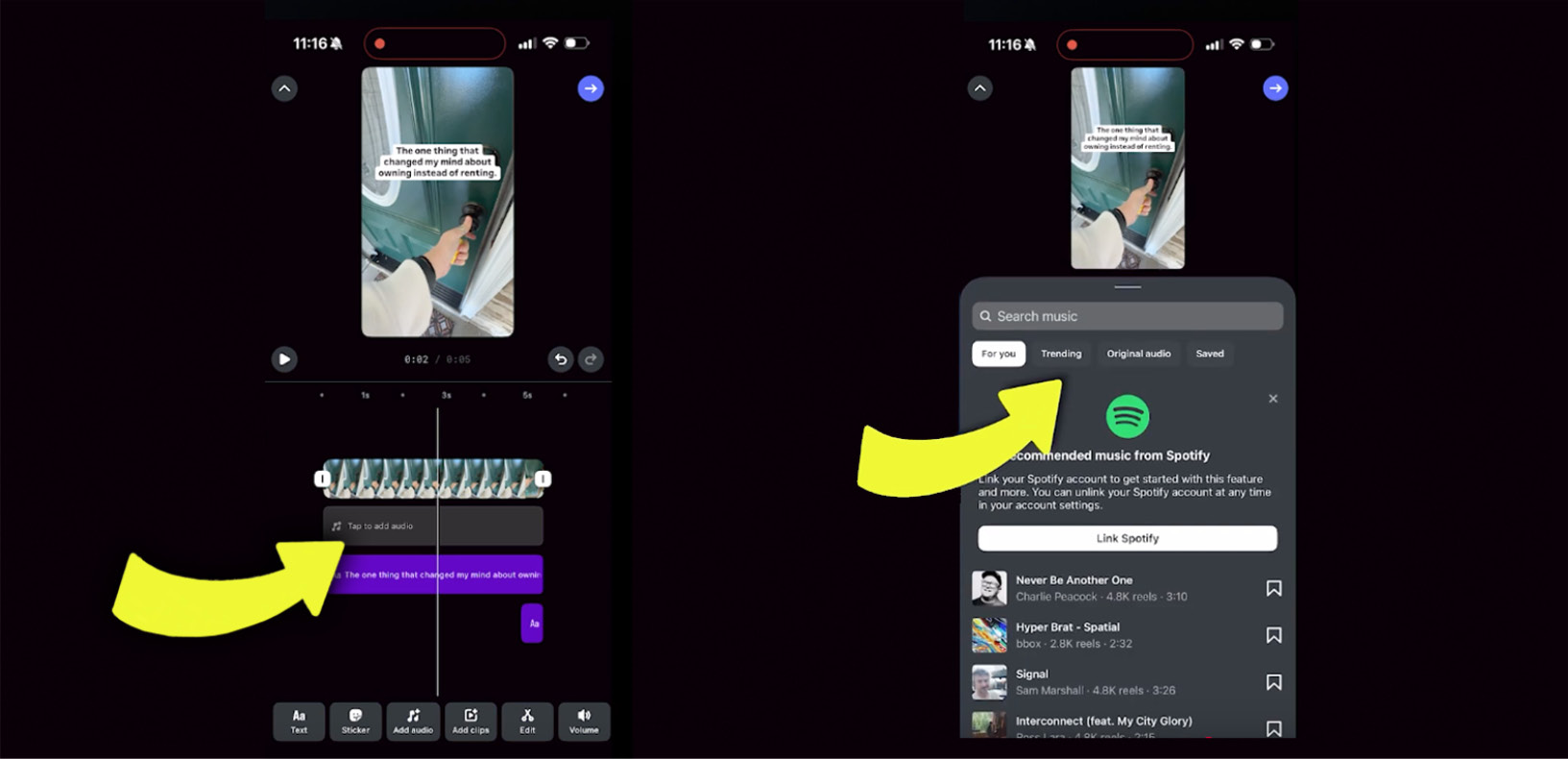
5. Add a directive. Tap the Text button again, and type “(see caption)”. Use the vertical slider to make the text a little smaller than your first line, and drag it under that one. Adjust the timing of this text so that it only appears for the last half-second of your clip. This is the #1 factor that affected our increase in watch time. If it comes in too early, the watch time goes down.
6. Add audio. Tap the Add audio button. Navigate to the Trending tab, and choose an audio clip that suits your video. If desired, use the slider to adjust the section of the music to be played. Tap Done.
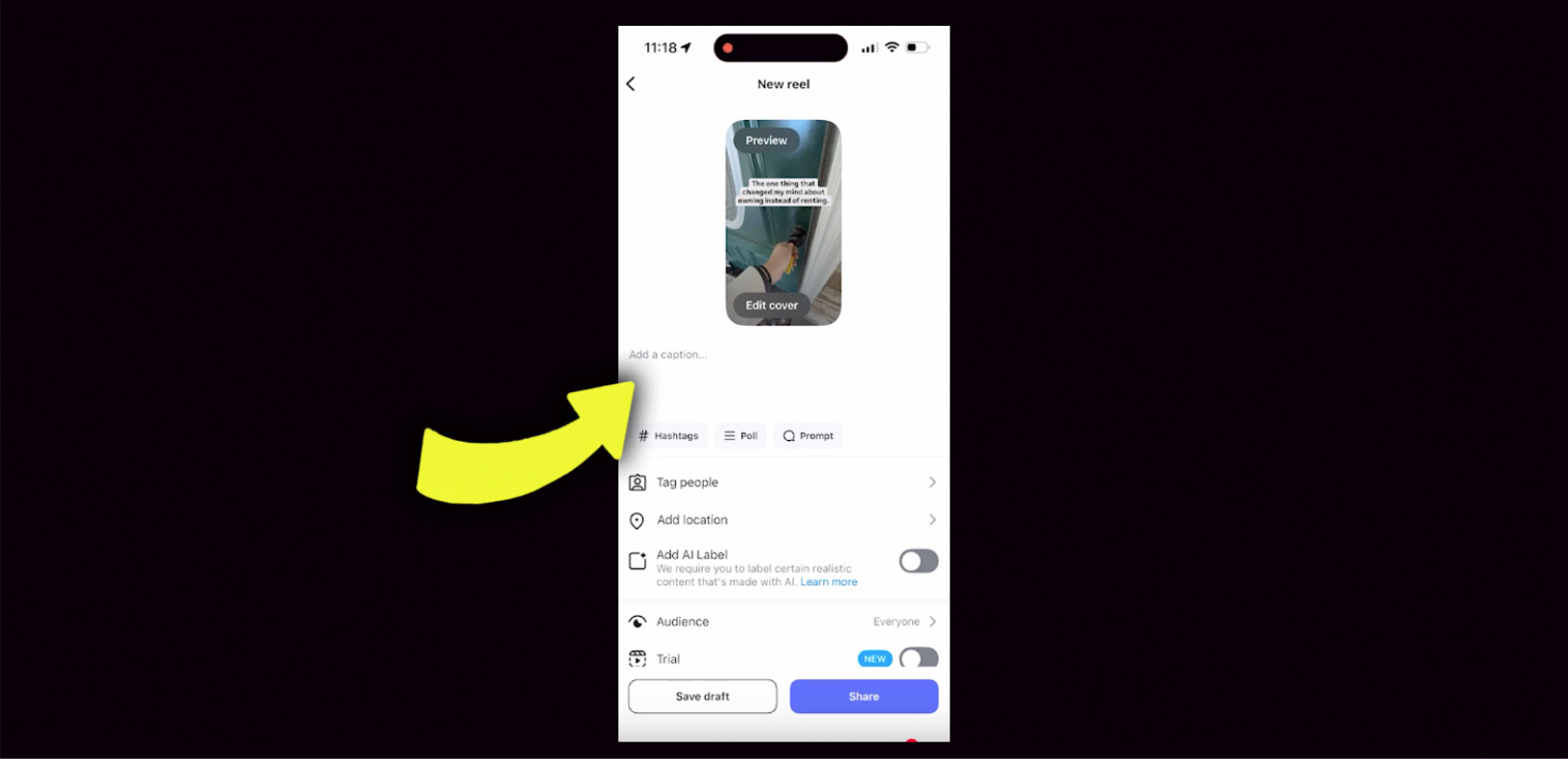
7. Navigate to the next screen to add your caption. Once you’ve finished editing your video, tap the arrow in the top right corner of your screen, then enter your caption in the Add a caption box. Aim for one that takes 8 to 10 seconds to read to give your reel the best chance at reaching a watch time over 5 seconds. To maximize engagement, write about a client’s experience or add a short personal story rather than just a statement.
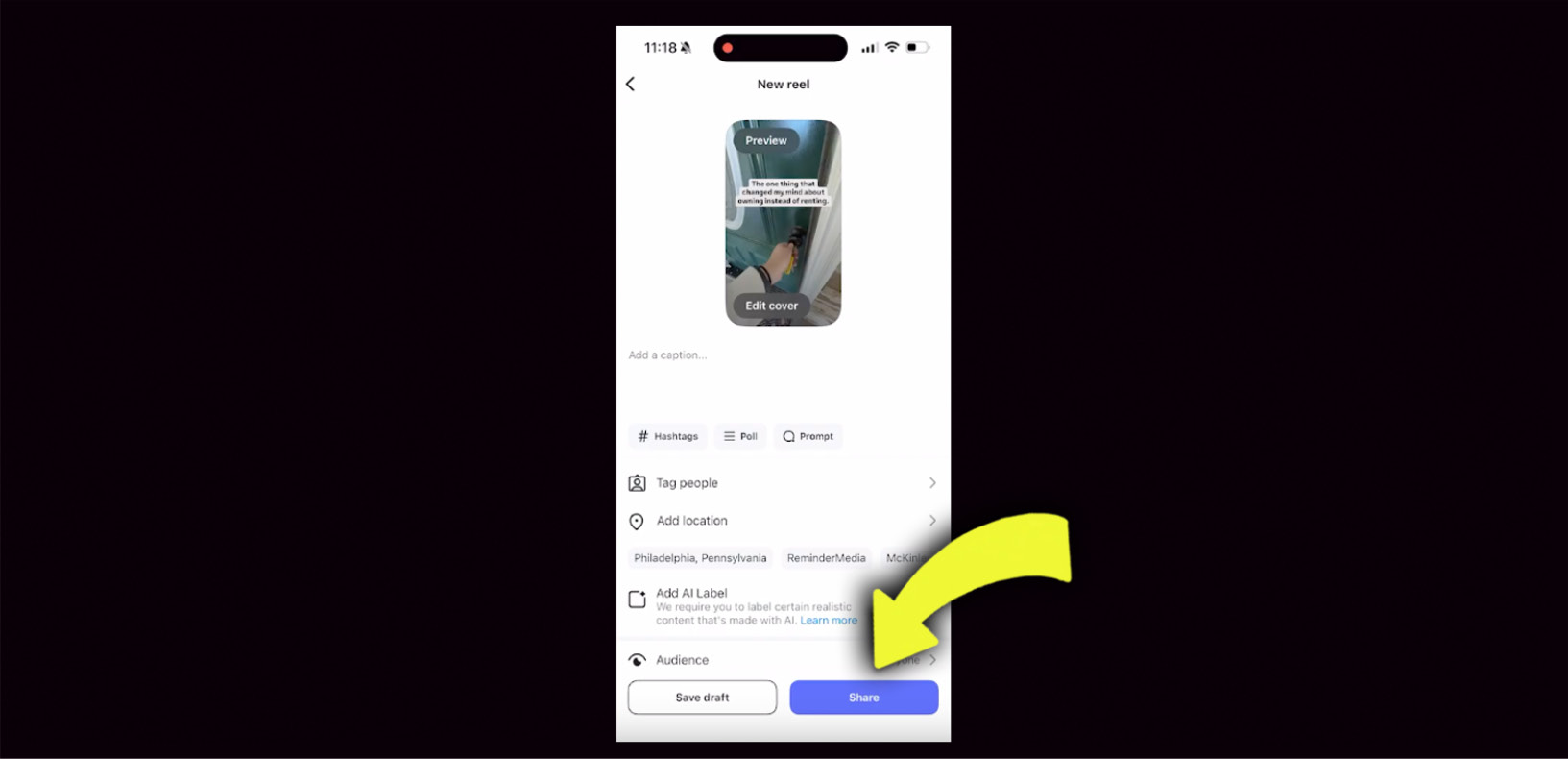
8. Post your reel. Once you’re ready to publish your reel, just tap Share, and it will post to your page.
That’s it! These reels are so effective in expanding an audience that we’re creating more of them to add to our Social Media Automation tool—one of five that make up our Digital Marketing Platform—which allows ReminderMedia clients to literally set and forget their social media calendar for a year or more. They also get exclusive access to the Social Media Insider video series, a weekly video that explains in exact detail what you can do to optimize your social media marketing.
Get 5 Digital Marketing Tools from ReminderMedia here

Take action

This reel is one of the easiest to create and test using your own Instagram account, so take 10 minutes this week and try it for yourself. Using ChatGPT to suggest your hooks makes the whole process super simple, and once you get the hang of it, you’ll be recording and posting them with ease.


Download the printable PDF with all 27 lines:

Sign Up for the BAM Newsletter

For daily real estate news, business and marketing.

About the Author

Luke Acree is an authority on leadership, a lead generation specialist, and a referral expert who passionately believes that businesses run on relationships. By teaching the principles of relationship marketing, he’s helped more than 100,000 entrepreneurs and small businesses grow their companies. He has grown his company, ReminderMedia, to over $300 million in sales and earned it a place on Inc. 5000’s list of the Fasting Growing Companies in America four years in a row. In addition, Luke co-hosts a podcast called Stay Paid, which routinely appears in the Top 30 Marketing Podcasts on Apple Podcasts.

Share:

Related Posts

Recent Articles

Upcoming Events

Webinar
Virtual
Virtual Event
Virtual
Webinar
Virtual

Related Posts