


Instagram carousel posts are often underutilized, but they can be a powerful tool for growing your account if used effectively. If you’re wondering what to post in a carousel, I’m here to share some tips!
As Julia Broome mentioned in a recent video many creators use carousels for random photo dumps. While there’s nothing wrong with that, these types of posts are less likely to drive significant growth.
You can take the creative a bit further like Elisabeth Dudai, who adds fun and engaging text on top of her photos in carousel posts. While she uses Photoshop for this effect, you can also use apps like 7Element to achieve a similar look.
Here are some strategies to make your carousel posts more impactful for your real estate business, ensuring they’re either packed with value or unique enough to save and share.
4 Ways to Use Carousels in our Real Estate Business
#1—Monthly Edits
Look at Utah real estate agent Paige Steckling, who creates a “monthly edit” carousel showcasing local events, their closed deals for the month, market updates, and home maintenance tips. This approach not only informs but also keeps her audience engaged with relevant content.
#2—Highlight Success Stories
Krys Benyamein used a carousel post to highlight how he sold a listing for $150,000 over the asking price. He used ManyChat with the trigger word “La Verne” for the property address, linking a lead magnet to showcase his marketing strategies. (Get Krys’s template here!)
#3—Educational Content
Taya DiCarlo created a carousel post titled “10 MISTAKES TO AVOID DURING YOUR KITCHEN RENOVATION,” offering practical advice like budgeting, considering electrical elements, and avoiding trend-chasing.
#4—Housing Market Data:
BAMx takes the bulk of the workload out of this one. Every week, BAMx delivers three customizable social media templates to its members—plus video scripts, a blog and an email script. These focus on sharing the latest housing market news with consumers and give you the chance to compare national trends to local trends.
Pro tip: Use the discount code LINDSEY for 10% off your BAMx membership here!
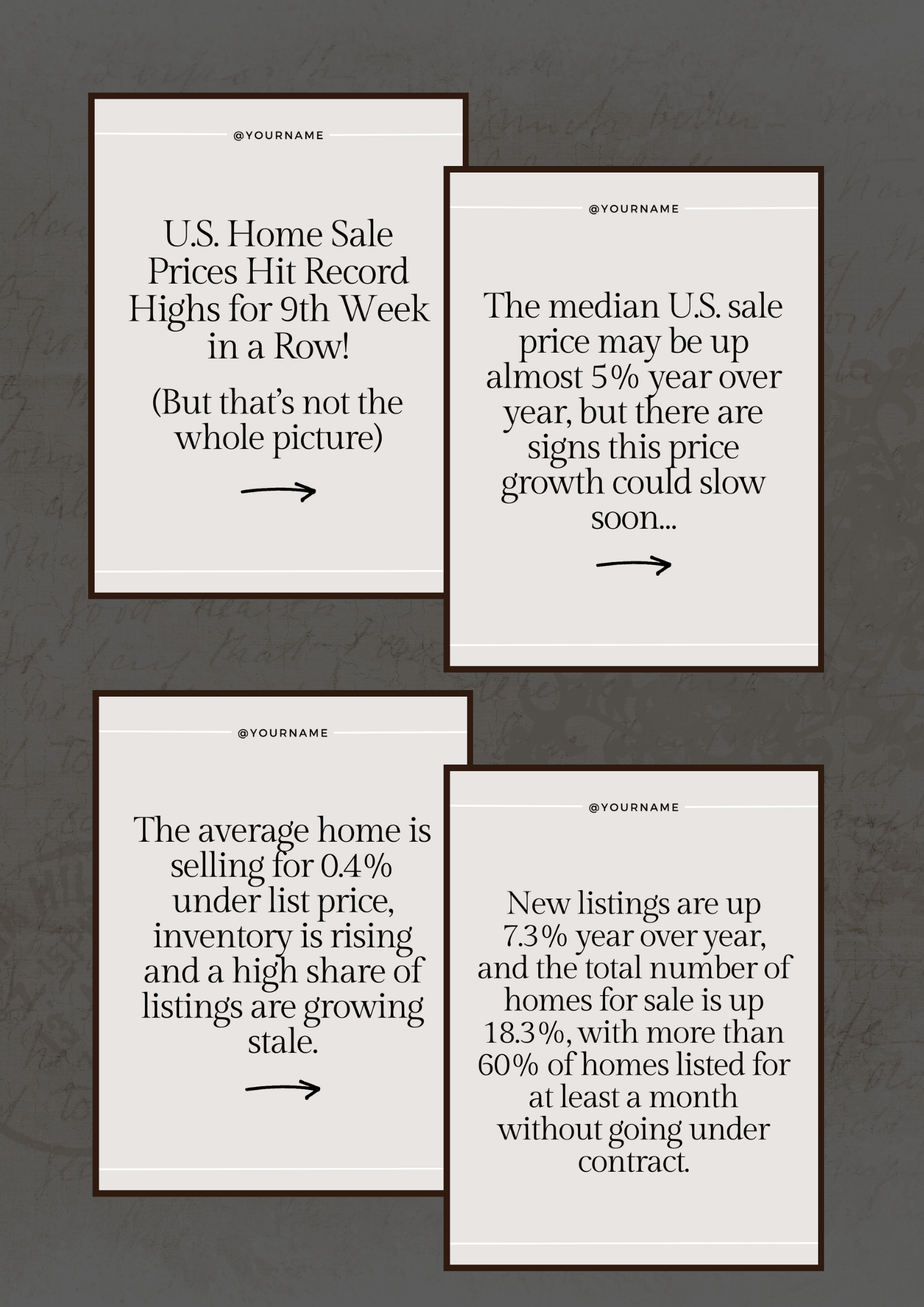
By following these examples and adding your unique twist, you can create carousel posts that not only engage your audience but also help grow your account.
The key is to provide valuable content that resonates with your followers and encourages them to save and share your posts.